Barber booking and availability
Quick answer - Booking and Availability controls what clients can book, who can do the service, when slots are available, whether deposits are required, and what Resk should do when no time fits.
Use this guide when - You are setting up barber services, staff rules, hours, booking windows, gaps, deposits, and cancellation rules.
Before you start - Know your real opening hours, staff rota, service durations, prices, deposit policy, and how much notice customers need to give.
Open Booking & Availability
- Open Booking & Availability.
- Review What you offer.
- Review How booking works.
- Review Policies.
- Save each section you change.
- Run a test booking after setup.
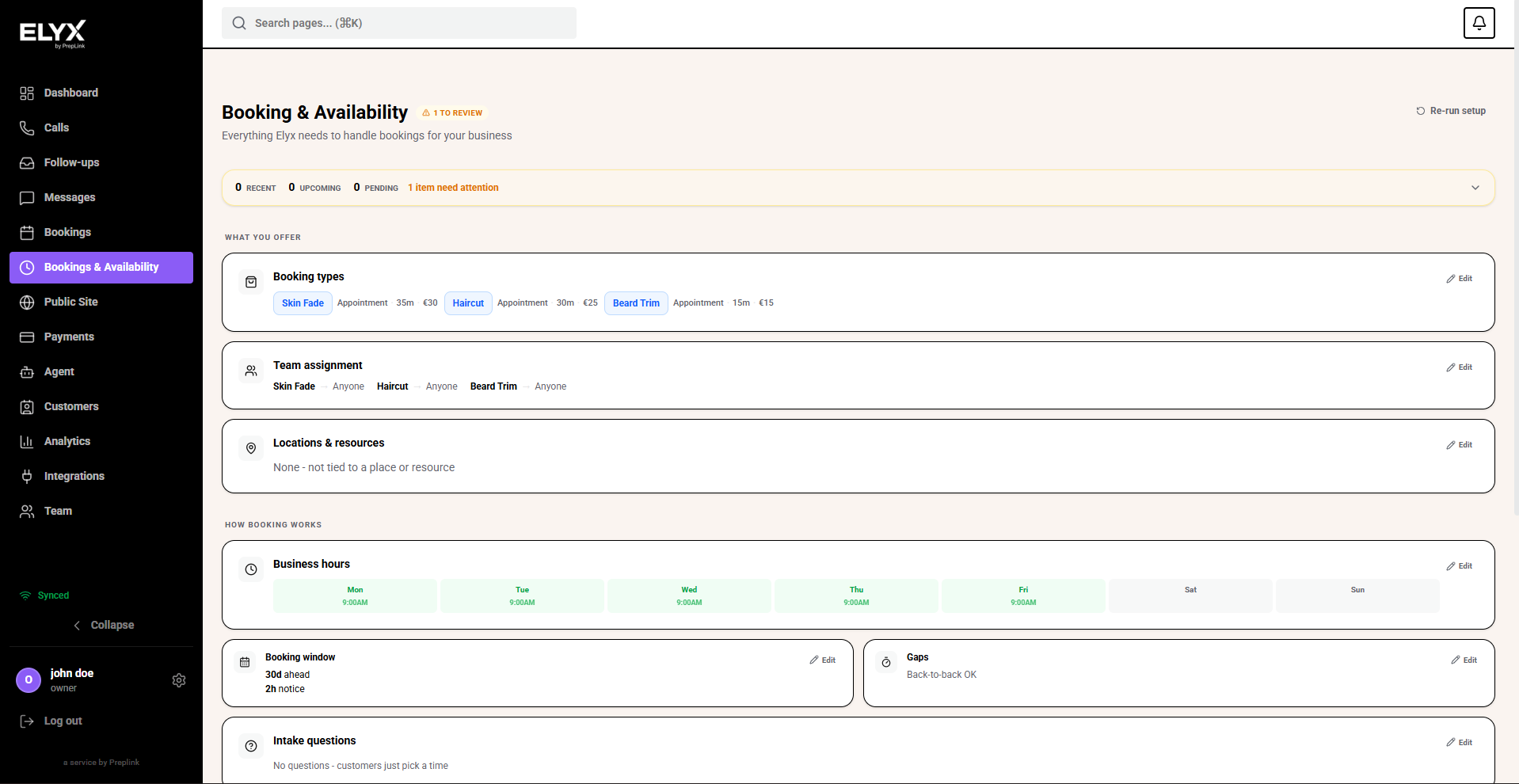
Add booking types
Booking types are the services clients can choose. For a barber, common examples are Skin Fade, Haircut, and Beard Trim.
- Open Booking types.
- Add one row for each service.
- Give every service a clear customer-facing name.
- Keep the type as Appointment for normal one-to-one bookings.
- Set the duration in minutes.
- Add the price where your account supports it.
- Save.
Separate services that take different amounts of time. A 15 minute beard trim and a 35 minute skin fade should not share one generic booking type.
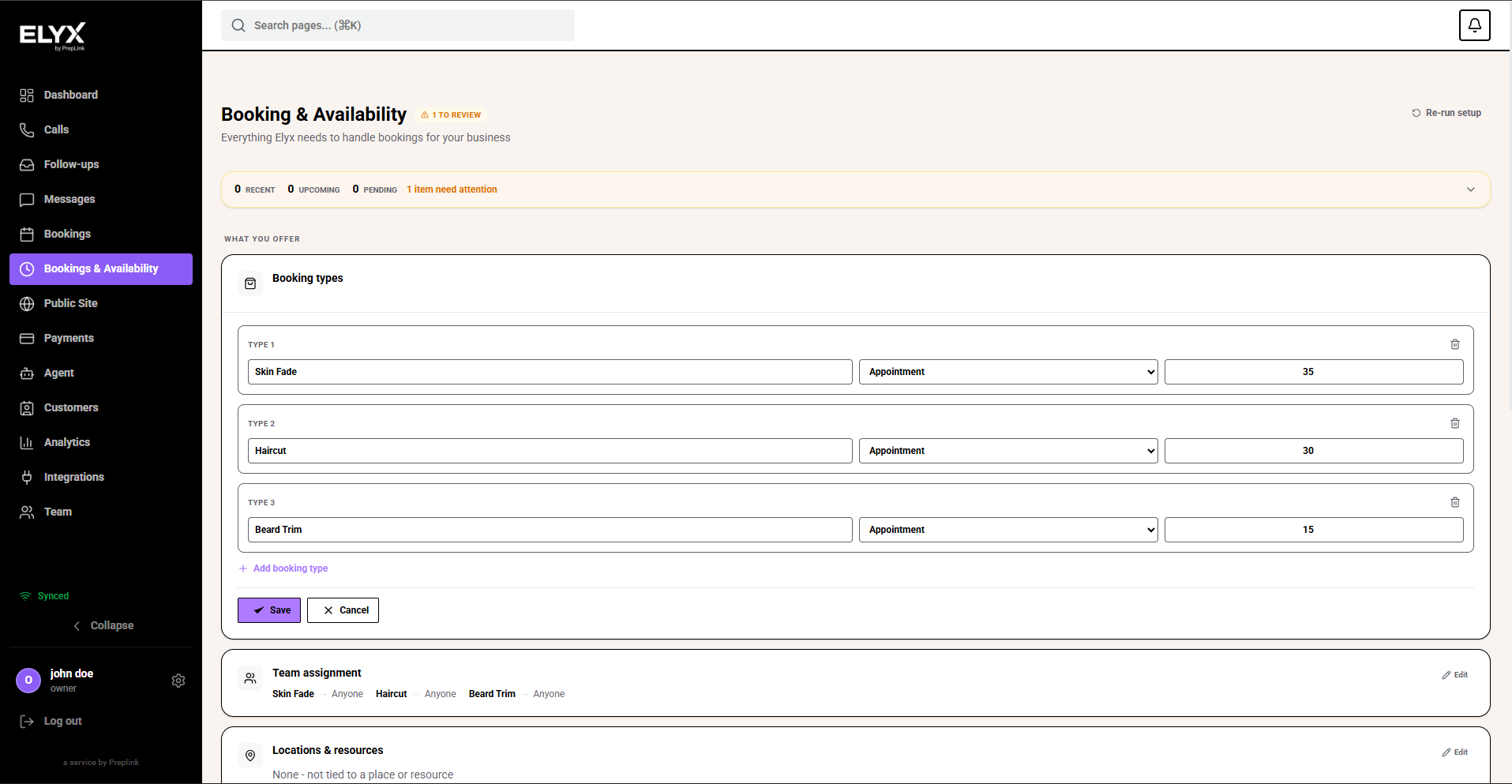
Assign services to barbers
Use team assignment when only certain people can perform a service.
- Open Team assignment.
- Choose Anyone when any barber can handle the service.
- Choose a named barber when the service needs that person.
- Save.
For example, if only John handles skin fades, assign Skin Fade to John. If everyone can do haircuts and beard trims, leave those as Anyone.
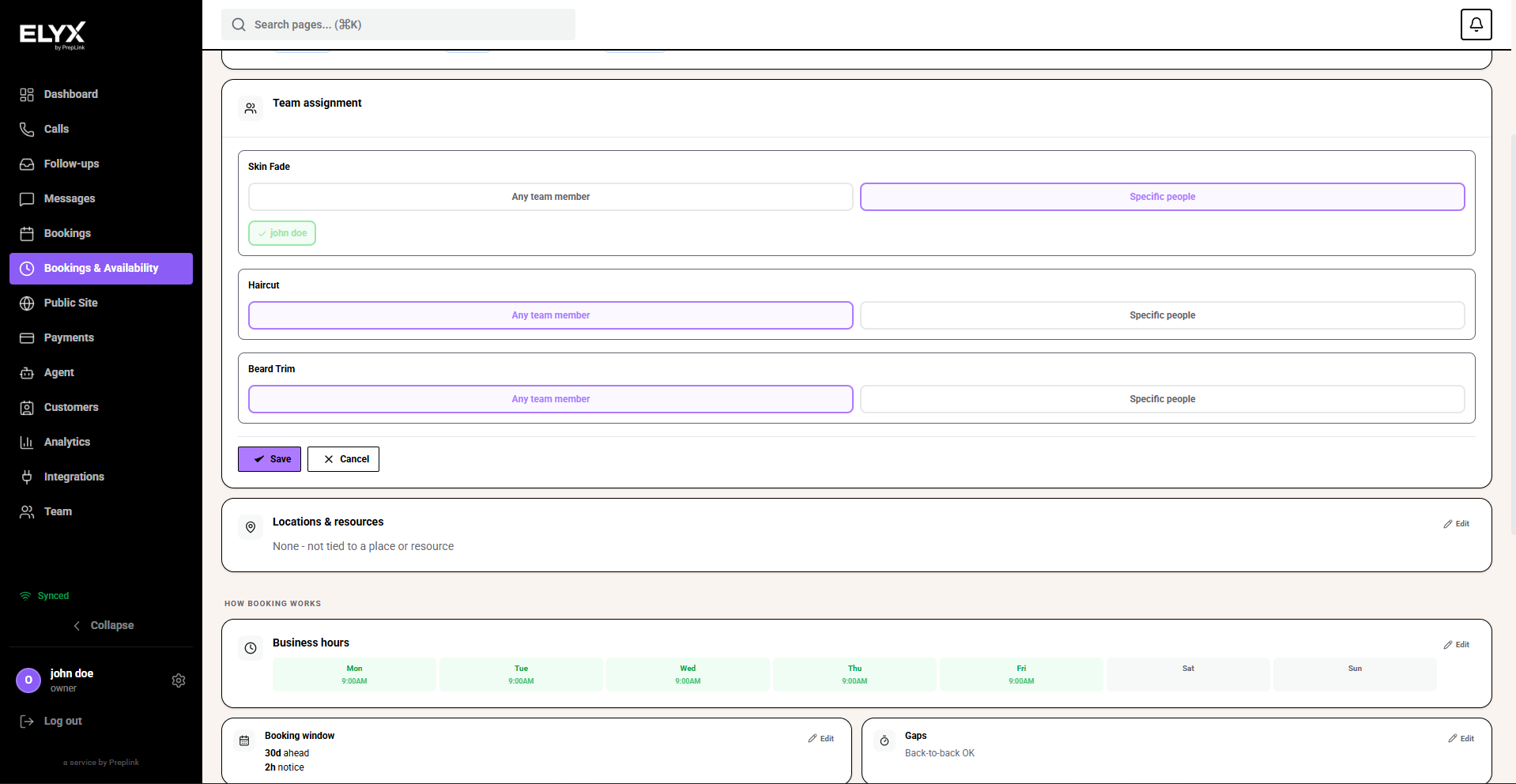
Set hours, booking window, and notice
Business hours decide when bookings can happen. Booking window decides how far ahead clients can book. Minimum notice stops last-minute bookings when you need time to prepare.
- Set the days the shop accepts appointments.
- Set the open and close time for each day.
- Open Booking window.
- Set how many days ahead customers can book.
- Set Min notice.
- Add gaps if you need cleanup, prep, or reset time between services.
- Save.
A short minimum notice can work for simple cuts and walk-ins. Longer services, specialist appointments, or staff-dependent services may need more notice.
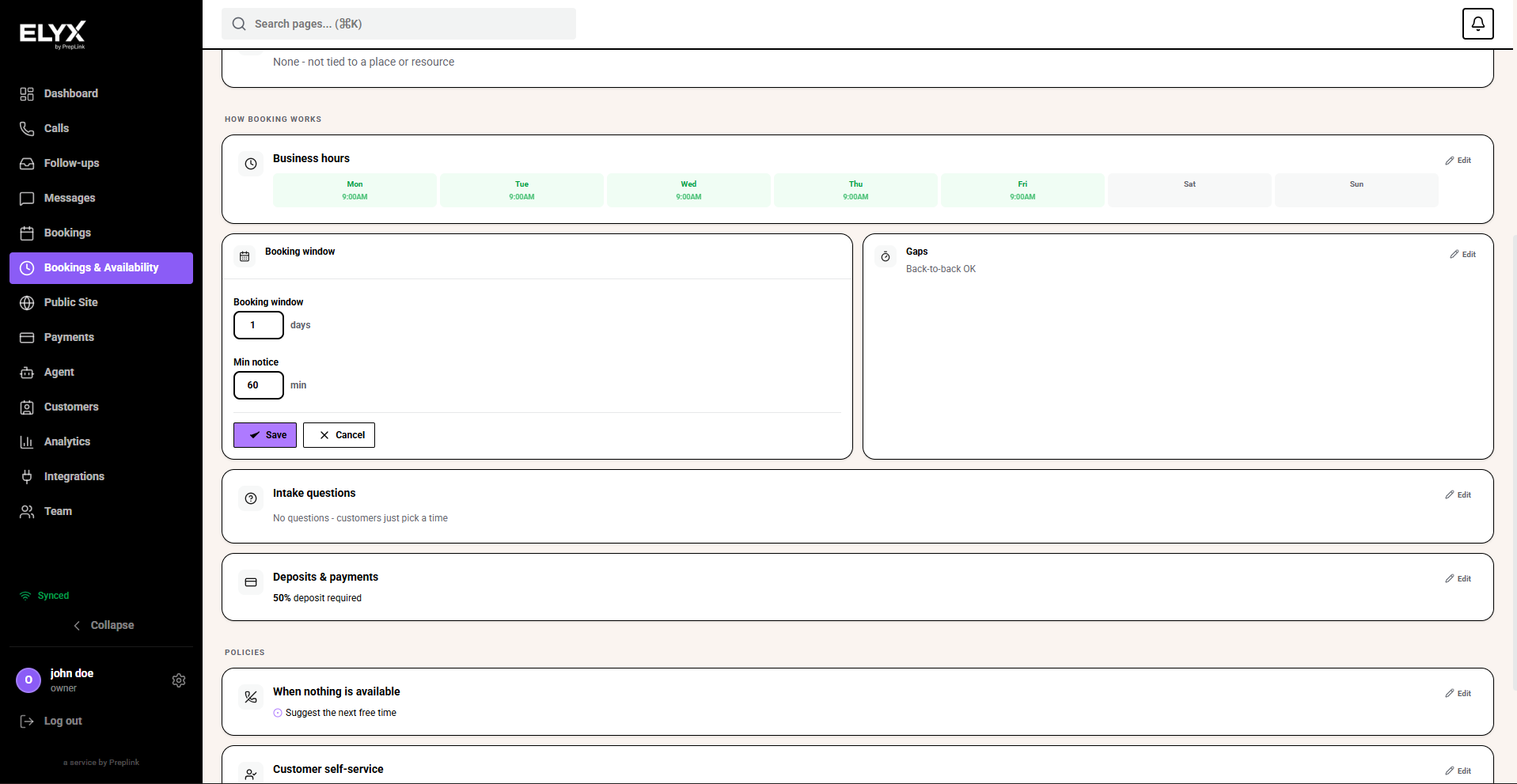
Set deposits and payments
Deposits help protect busy slots and services where no-shows cost money.
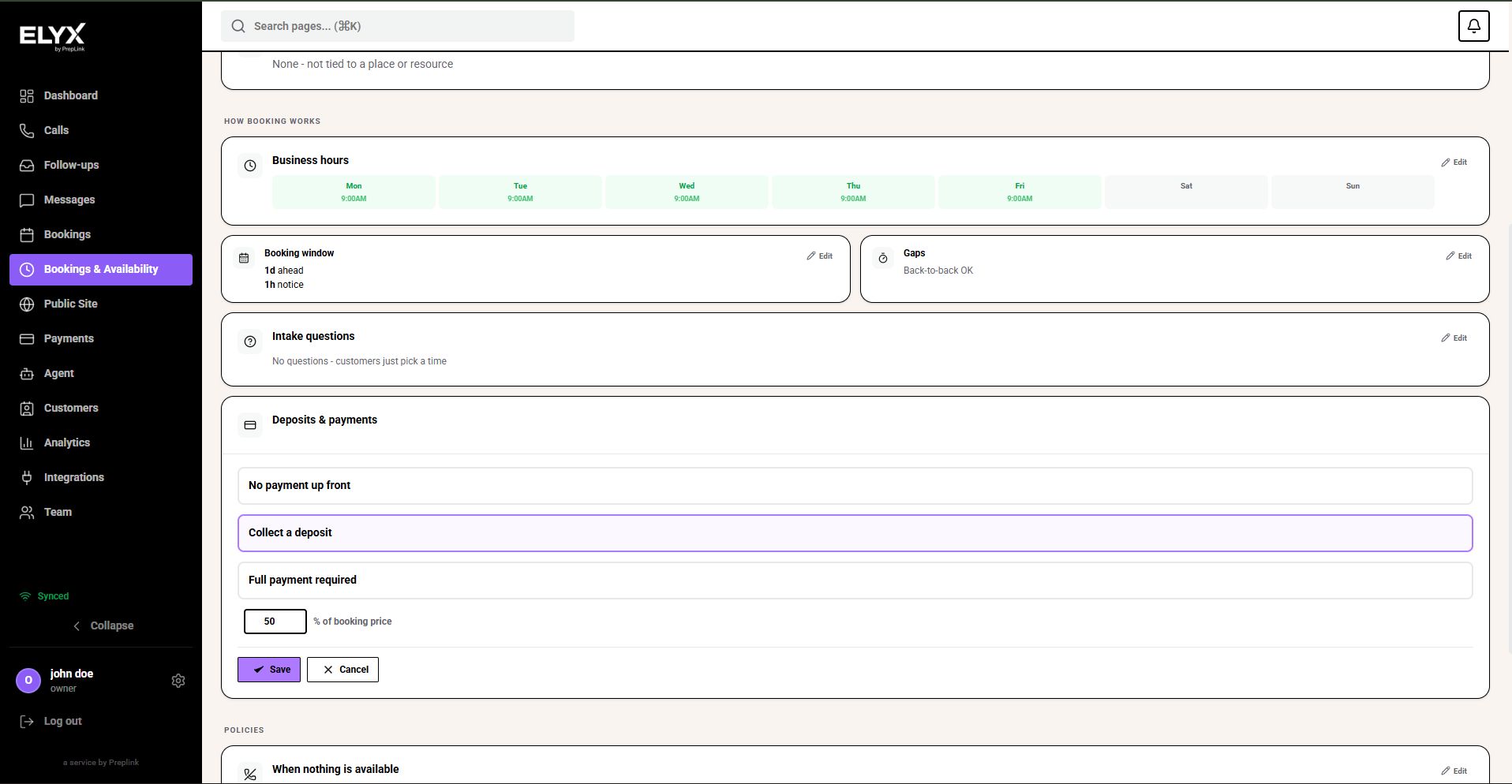
- Open Deposits & payments.
- Choose No payment up front if clients can book without paying.
- Choose Collect a deposit when part payment is needed to hold the slot.
- Choose Full payment required when the whole service must be paid at booking.
- If using a deposit, set the percentage of the booking price.
- Save.
Use deposits carefully. They are helpful for peak times, long services, and appointments with a specialist barber.
Review policies
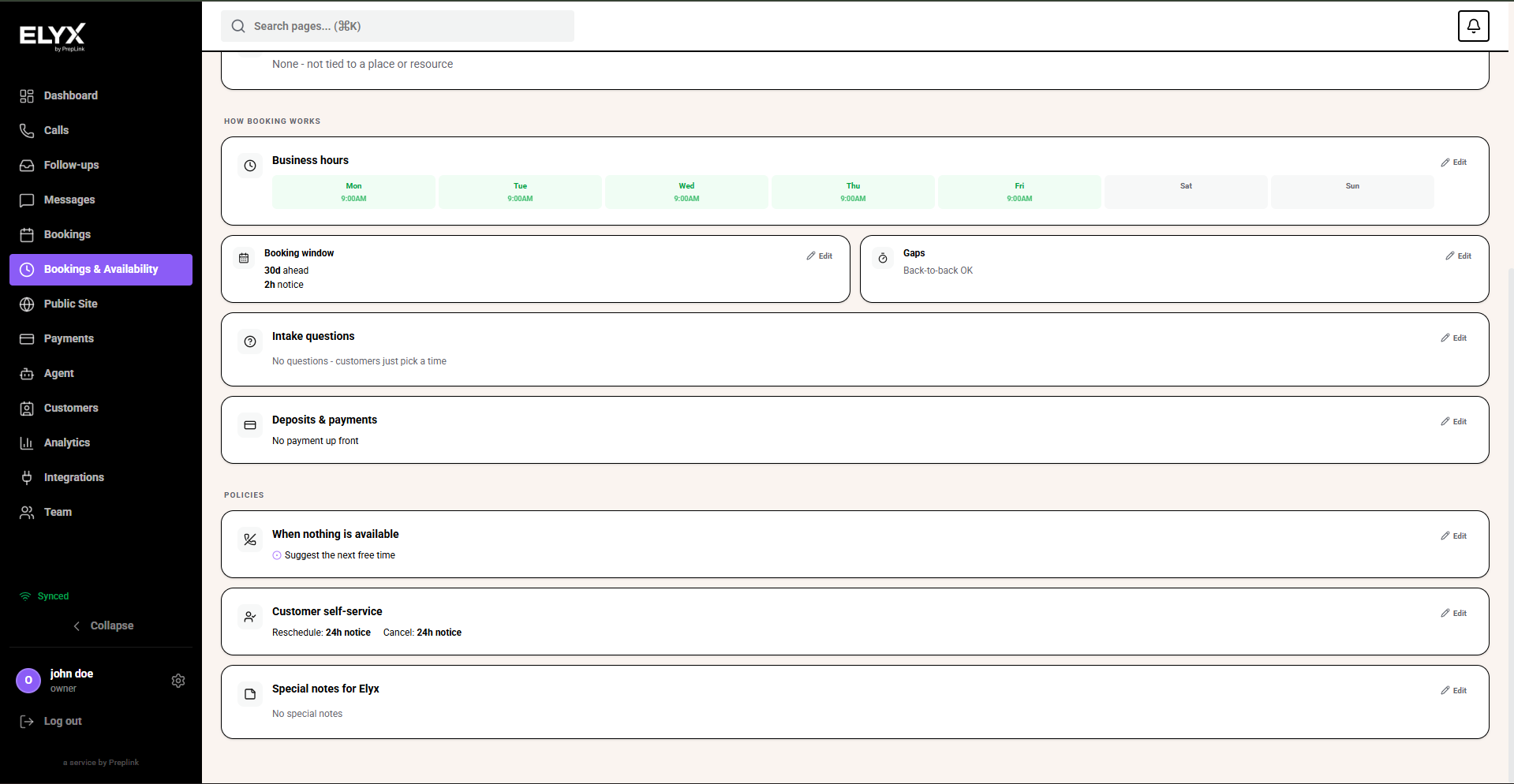
Policies tell Resk what to do when the requested booking cannot be completed exactly as asked.
- Check When nothing is available.
- Choose whether Resk should offer the next free time, offer a callback, or take a message.
- Decide whether bookings need approval.
- Review Customer self-service.
- Set whether clients can reschedule or cancel themselves.
- Add special notes only when they help staff or Resk make the right decision.
Good notes are practical. “Offer another barber if John is full” is useful. “We are flexible” is too vague.
Last updated: April 2026