Your Resk number and call forwarding
Quick answer - Resk gives you a dedicated number for the AI. You can share that number with customers or forward your existing line to it. Your phone provider controls forwarding, but Resk gives you the number to forward calls to.
Use this guide when - Owners choosing how customers reach the business.
Before you start - Decide whether customers should see the Resk number directly or keep calling your existing business number.
Where to find your Resk number
- Open Dashboard or Agent -> Phone.
- Find the Resk phone number.
- Choose Copy.
- Paste it somewhere safe while you test.
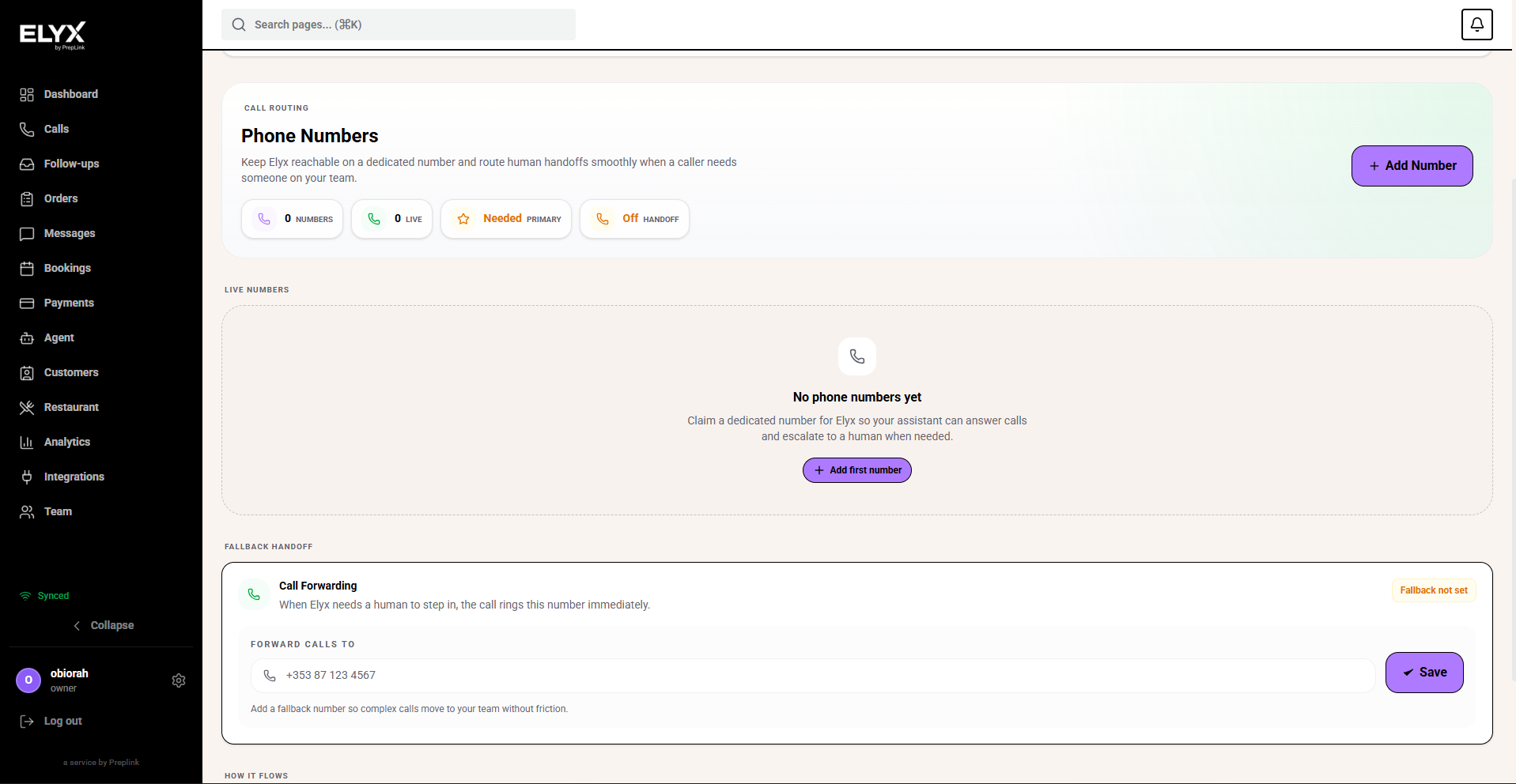
Do not retype the number from memory. Copy it from Resk so you do not publish the wrong number.
Option 1: publish the Resk number
Use this option if you want customers to call Resk directly.
- Copy the Resk number.
- Add it to your website.
- Add it to Google Business Profile.
- Add it to email signatures.
- Add it to printed material if needed.
- Call the number from a mobile phone.
- Confirm the AI answers with the correct greeting.
This is the simplest setup because all new calls go straight to Resk.
Option 2: forward your existing number
Use this option if customers already know your current phone number and you do not want to change public listings.
- Copy your Resk number from Resk.
- Log in to your mobile or landline provider.
- Find Call forwarding.
- Enter the Resk number as the forwarding destination.
- Choose full-time forwarding if every call should reach Resk first.
- Save the forwarding rule.
- Call your old number from a mobile phone.
- Confirm the AI answers.
- Open Calls in Resk and confirm the test call appears.
If you cannot find the forwarding setting, call your phone provider and ask them to forward your business number to the Resk number.
Option 3: forward only missed calls
Some phone providers let you forward only unanswered or busy calls. Use this if staff should answer first and Resk should catch overflow.
- Ask your phone provider for unanswered-call forwarding.
- Set the forwarding destination to your Resk number.
- Let the business phone ring without answering.
- Confirm Resk answers after the delay.
- Adjust the ring time if callers wait too long.
Porting a number
Porting moves a number between phone providers and can take days. Do not start porting during a busy service period unless you have a backup plan. If Resk support gives you a porting checklist, follow it exactly.
What callers experience
Callers hear your greeting, then can ask questions, book, leave a message, or request a callback depending on what you enabled.
Test checklist
Before you publish or forward the number:
- Call during open hours.
- Call outside open hours.
- Ask for a normal booking or service.
- Ask for something staff should handle.
- Confirm the call appears in Calls.
- Confirm any follow-up appears in Follow-ups.
Common mistakes
- Publishing the Resk number before testing the greeting.
- Forwarding to the wrong number.
- Forgetting to test the old number after forwarding.
- Updating the website but forgetting Google Business Profile.
Related articles
Last updated: April 2026