Tasks and follow-ups
Quick answer - Tasks, Actions, or Follow-ups are the to-dos Resk creates when a customer needs staff attention. Open the item, read the context, do the work, then mark it done.
Use this guide when - Whoever owns the inbox for the day.
Before you start - Decide who is responsible for checking follow-ups during each shift.
Open follow-ups
- Choose Follow-ups, Actions, or Tasks from the menu.
- Sort by newest, due date, or priority if available.
- Open urgent or overdue items first.
- Check whether any item is assigned to you or your team.
What appears here
Follow-ups may include:
- Callback requests.
- Missed-call review.
- Message replies.
- Booking problems.
- Payment follow-ups.
- Garage quote approvals.
- Restaurant delivery or reservation exceptions.
Complete a follow-up
- Open the item.
- Read the linked call, customer, booking, order, job, or invoice.
- Decide what action is needed.
- Call, text, update, or assign the work.
- Add a short note if another staff member may need context.
- Mark it done only when the customer or staff action is actually complete.
Reassign a follow-up
- Open the item.
- Choose the owner, assignee, or team field if available.
- Select the right person.
- Add a note explaining what is needed.
- Save.
If reassignment is not available, leave a note and tell the person directly.
Snooze or defer work
Use snooze only when the next action truly belongs later.
Good reasons:
- Customer asked for a callback tomorrow.
- Waiting for parts, table confirmation, or payment.
- Manager approval is needed.
Bad reasons:
- The queue is busy.
- You are not sure what the task means.
- The customer is upset and needs attention now.
Add a manual reminder
Use manual reminders for work a staff member needs to remember even if the AI did not create it.
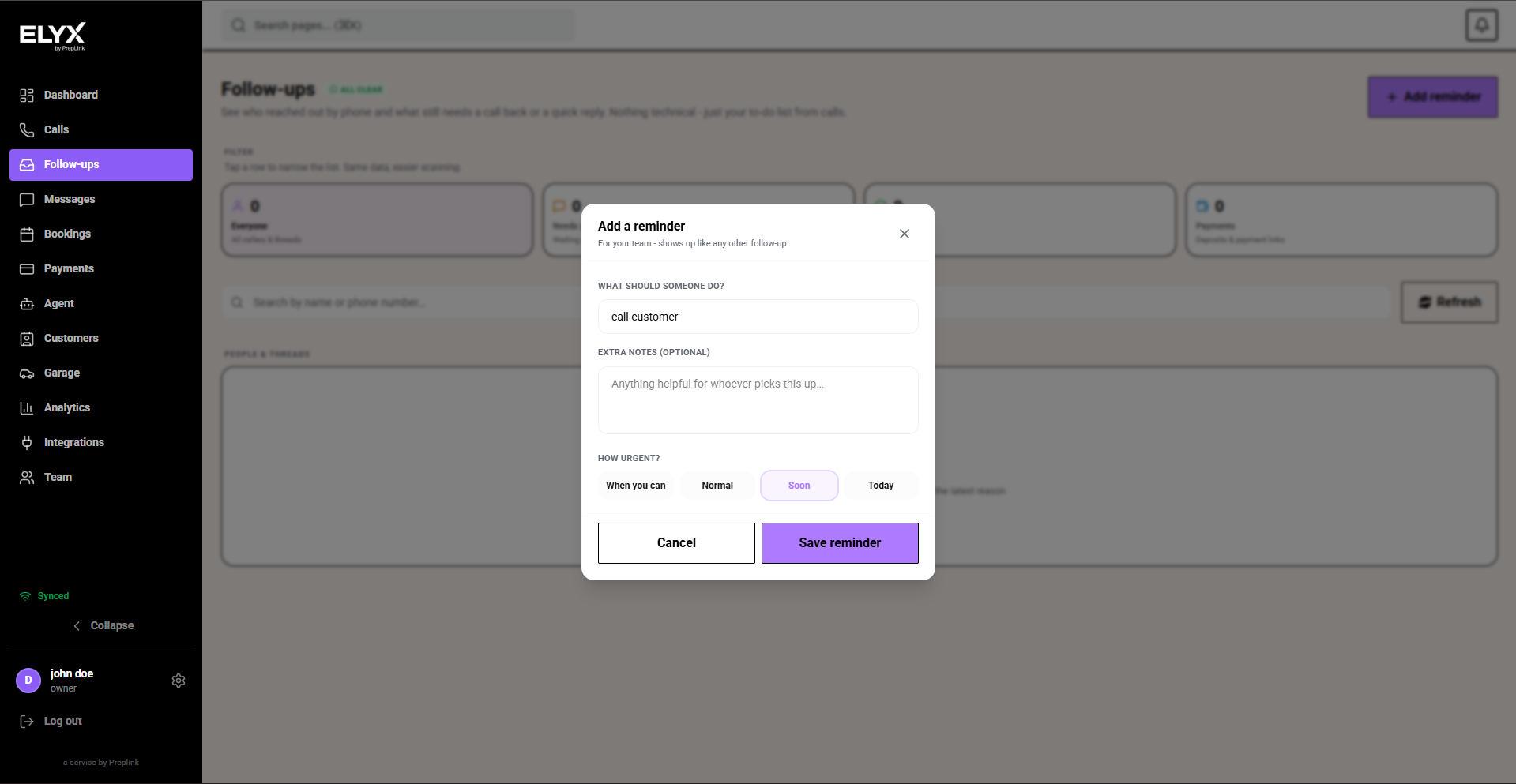
- Open Follow-ups.
- Choose Add reminder.
- Describe what someone should do, such as
Call customer. - Add extra notes if helpful.
- Choose urgency.
- Save the reminder.
- Confirm it appears in the follow-up list.
Daily routine
At opening:
- Clear overnight urgent items.
- Assign anything that belongs to another staff member.
- Review callbacks due today.
During the day:
- Check after call peaks.
- Keep urgent items out of the general queue.
- Mark work done as soon as it is finished.
At close:
- Clear customer-facing urgent items.
- Leave notes for tomorrow.
- Check that no callback is due after staff leave.
Common mistakes
- Clearing email but forgetting the Resk follow-up queue.
- Marking work done because someone plans to handle it later.
- Leaving urgent callbacks mixed with low-priority admin tasks.
- Not opening the linked call before replying to a customer.
Related articles
Last updated: April 2026