Billing
Quick answer - Billing is about your Resk subscription: plan, usage, payment method, and invoices from Resk. It is different from taking payments from your customers.
Use this guide when - The owner or billing contact.
Before you start - Make sure you are signed in as someone allowed to view billing.
Open Billing
- Choose Billing from the menu, or open Settings -> Billing if your account places it there.
- Wait for the plan and billing cards to load.
- Check the current plan.
- Check usage if shown.
- Check payment method and invoice access.
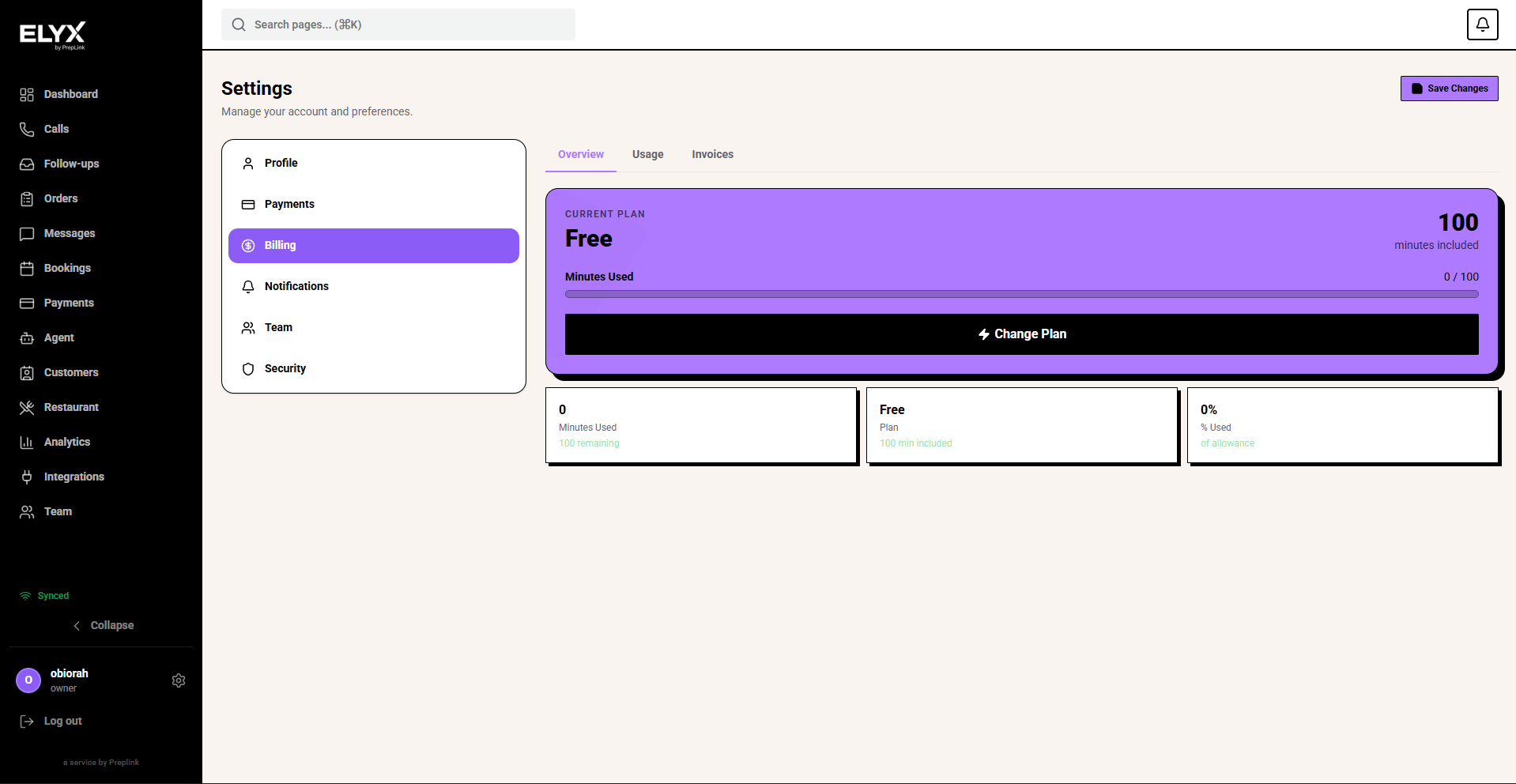
View your plan
- Open Billing.
- Find the current plan card.
- Review included usage, modules, and renewal information where shown.
- Contact support if the plan does not match what you expected.
Download an Resk invoice
- Open Billing.
- Find Invoices.
- Choose the invoice period.
- Download or open the invoice.
- Save it for accounting.
Change plan
If self-service plan changes are available:
- Open Billing.
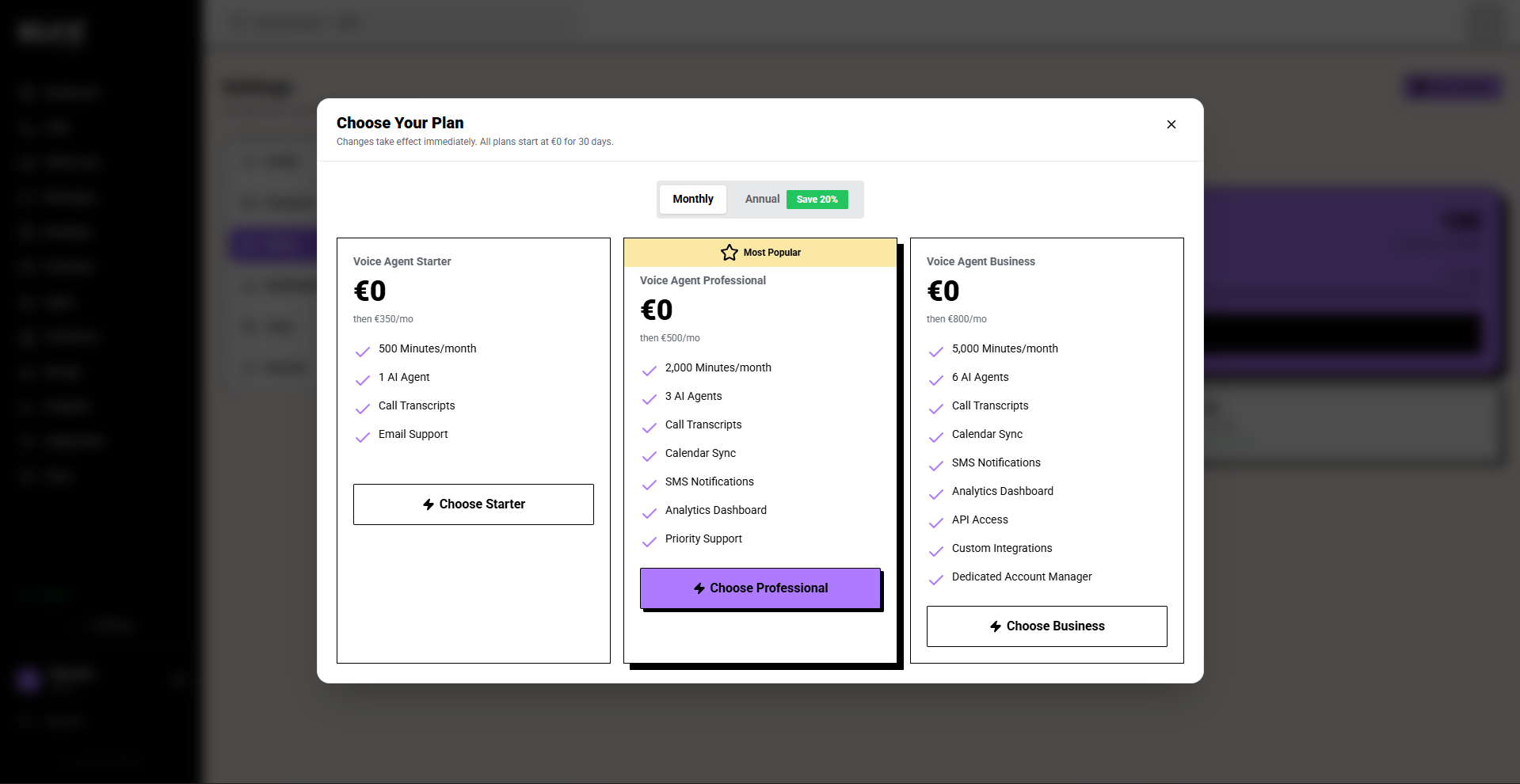
- Choose Change plan.
- Compare plan details.
- Confirm price and renewal terms.
- Choose the new plan.
- Save or confirm.
If the button is not visible, contact support or your Resk account contact.
Customer payments are separate
Customer payments, deposits, payment links, and restaurant or garage payments live under Payments or the relevant module. Billing is what your business pays Resk.
Common mistakes
- Looking in Billing for a customer payment.
- Looking in Payments for your Resk subscription invoice.
- Giving Billing access to staff who only need daily operations.
- Forgetting to update billing contact details when ownership changes.
Related articles
Last updated: April 2026