Role presets and permissions
Quick answer - Role presets let you give staff the access they need without making everyone an admin. Start with a preset, then adjust module permissions for billing, payments, team, restaurant, garage, and settings.
Use this guide when - Owners and managers who invite staff or control access.
Before you start - Know each person’s job and whether they should see billing, payment, customer, or staff-management data.
Open permission presets
- Open Team.
- Choose Manage Roles.
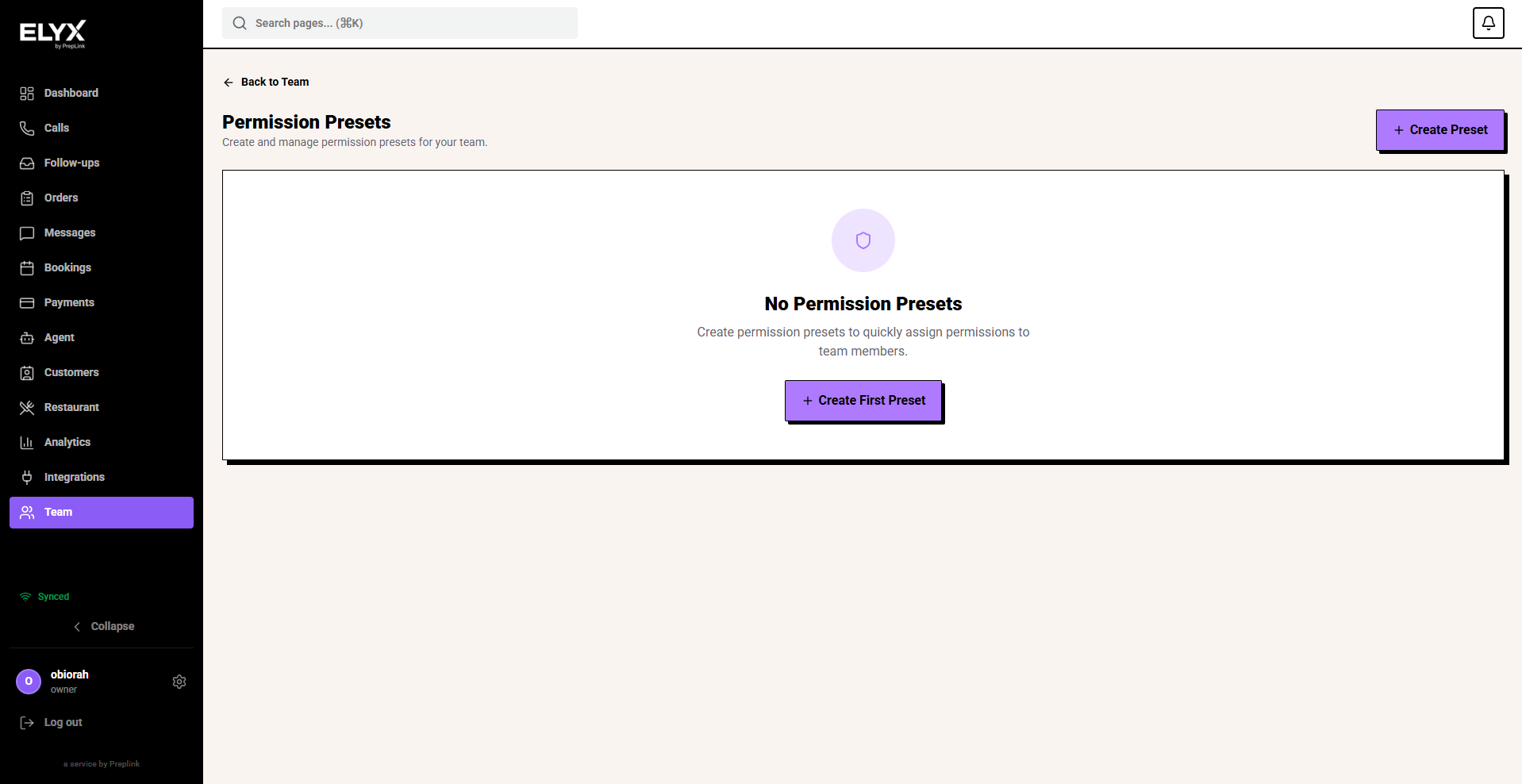
- Review existing presets.
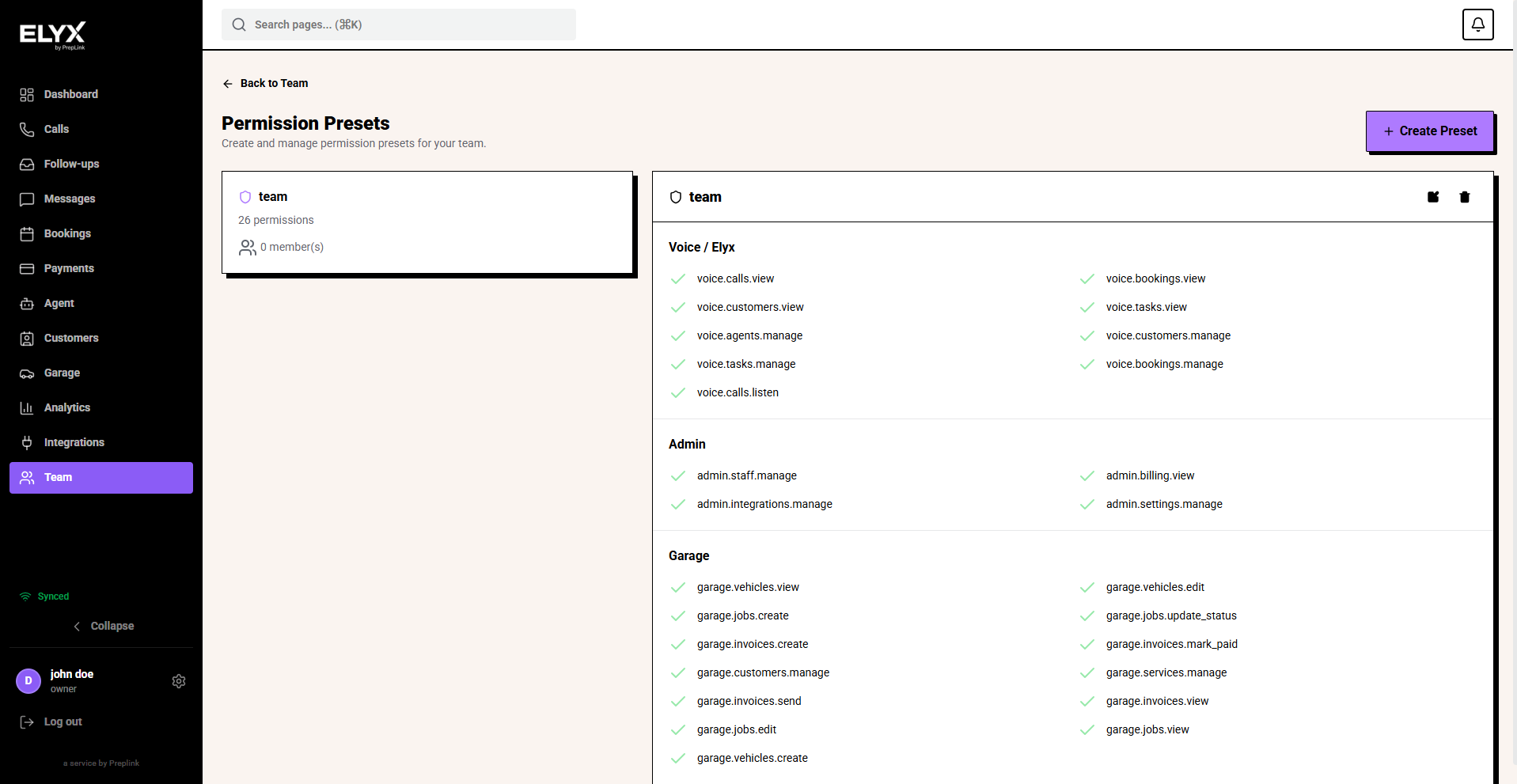
- Open a preset to see what it allows.
The presets page shows the preset list on the left and the selected preset details on the right. The detail panel shows the permissions included in that preset, grouped by area such as Voice / Resk, Admin, and Garage.
Create a preset
- Open Team.
- Choose Manage Roles.
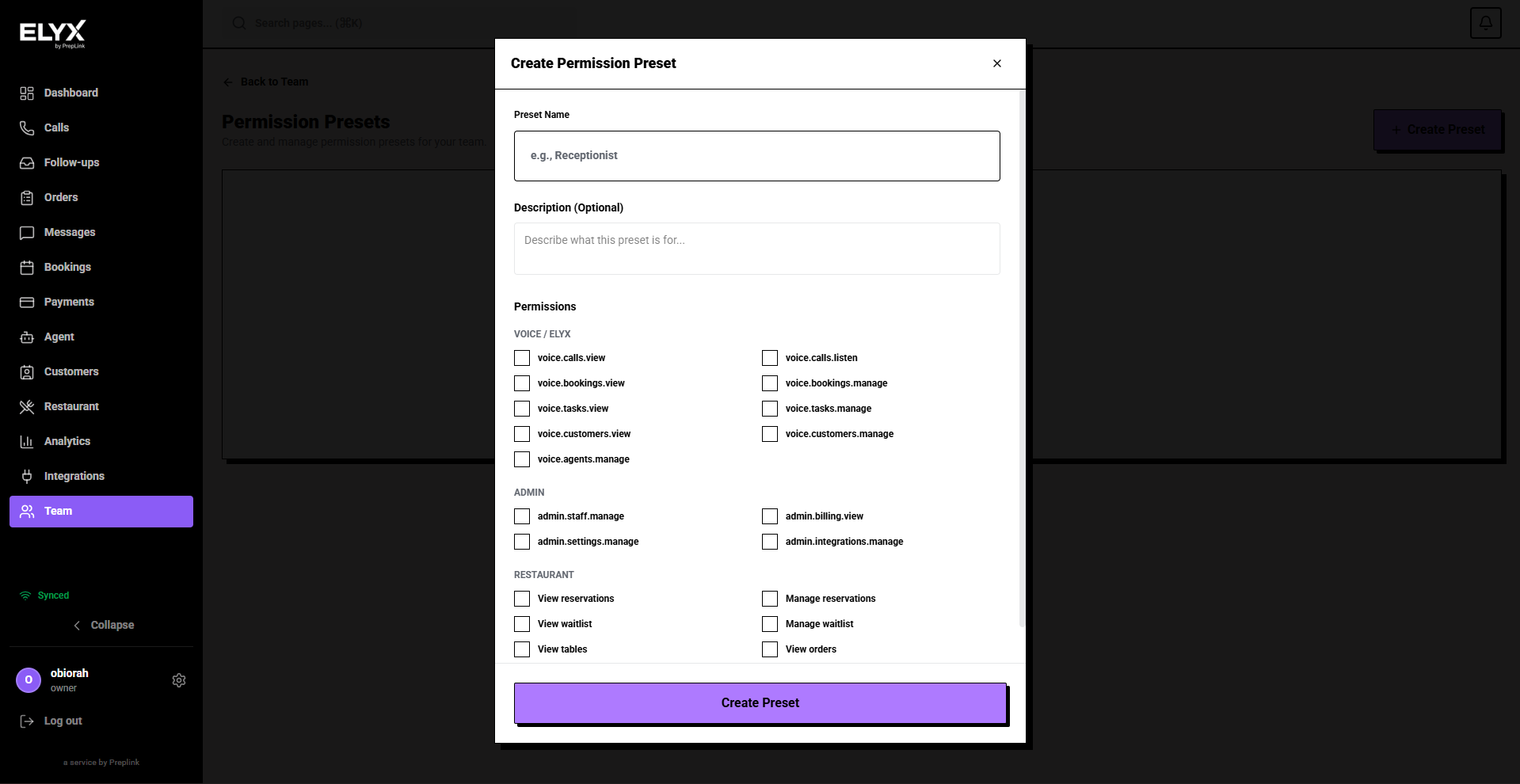
- Choose Create Preset in the top-right corner.
- Enter a Preset Name, such as
Receptionist,Service Advisor, orKitchen. - Add a short description if it helps other admins understand the preset.
- Select the permissions that job needs.
- Leave billing, settings, integrations, and team-management permissions off unless the job truly needs them.
- Choose Create Preset.
- Assign the preset to one staff member first.
- Ask them to confirm they can do their work.
Use the preset name for the job, not the person. That makes it reusable when another staff member joins.
Good preset names:
- Front desk.
- Kitchen.
- Service advisor.
- Manager.
- Billing contact.
Edit a preset
- Open the preset.
- Review each permission.
- Turn access on or off.
- Save.
- Tell affected staff to refresh or sign back in.
- Check one affected account if the change is sensitive.
Suggested starting points
| Role | Usually needs | Usually should not need |
|---|---|---|
| Owner | Everything | None |
| Manager | Calls, bookings, customers, messages, reports, module settings | Account deletion |
| Front desk | Calls, bookings, customers, follow-ups | Billing, team permissions |
| Kitchen | Orders and kitchen display | Customer exports, billing |
| Garage service advisor | Vehicles, jobs, customers, invoices | Team permissions |
Permission review routine
Once a month:
- Open Team.
- Check active users.
- Check role presets.
- Remove ex-staff.
- Reduce access for people who changed jobs.
- Confirm only owners or billing contacts can see billing.
Common mistakes
- Making every staff member an admin.
- Leaving ex-staff active after they leave.
- Giving billing or payment access to people who only need scheduling.
- Creating too many tiny roles that no one understands later.
Related articles
Last updated: April 2026