Campaigns
Quick answer - Campaigns let restaurants send SMS or email messages to guest segments, such as VIPs, lapsed guests, birthday guests, or people who attended an event. Use clean guest data, clear offers, consent-aware audiences, and short messages staff can honour.
Use this guide when - Owners, GMs, marketing teams, and support staff helping with guest communications.
Before you start - Review Guests, clean duplicates, confirm consent rules for your market, and decide what offer or message the restaurant can actually fulfil.
Open Campaigns
- Choose Restaurant from the left menu.
- Choose Campaigns.
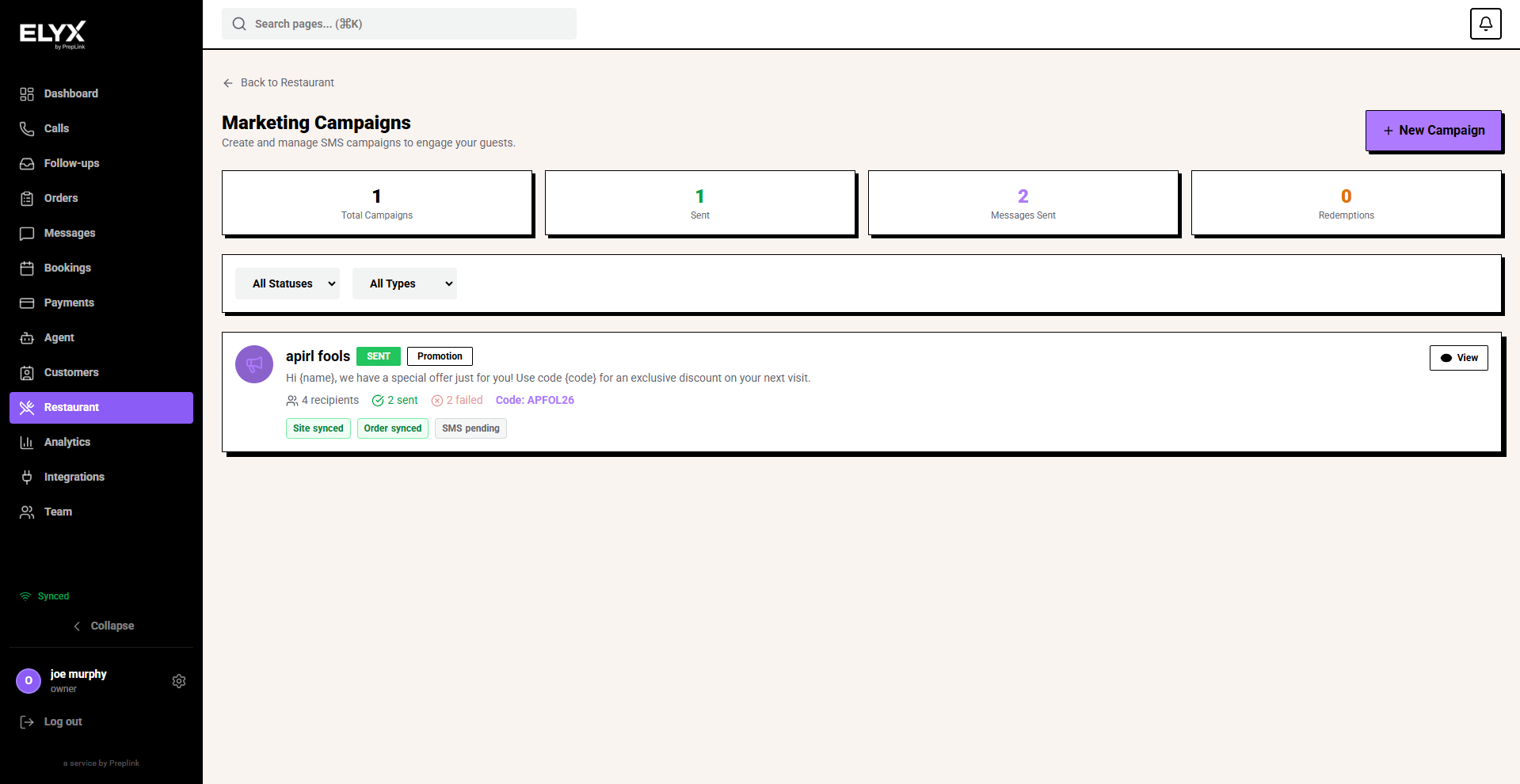
- Review total campaigns, sent campaigns, messages sent, and redemptions.
- Use the status and type filters to find previous campaigns.
- Choose New Campaign when you are ready to create one.
Good campaign use cases
| Campaign | Audience | Example purpose |
|---|---|---|
| Win-back | Guests who have not visited recently. | Bring lapsed guests back with an offer. |
| VIP | VIP or high-value guests. | Invite to a preview night or priority booking. |
| Birthday | Guests with birthday data. | Send a birthday treat or booking prompt. |
| Event | Guests interested in events. | Promote live music, tasting nights, or seasonal menus. |
| Menu launch | Recent or regular guests. | Announce a new menu or special. |
| Weather or quiet day | Local guests. | Fill tables during a slow period. |
Start with one campaign that has a clear goal.
Create a campaign
- Open Restaurant.
- Choose Campaigns.
- Choose New campaign.
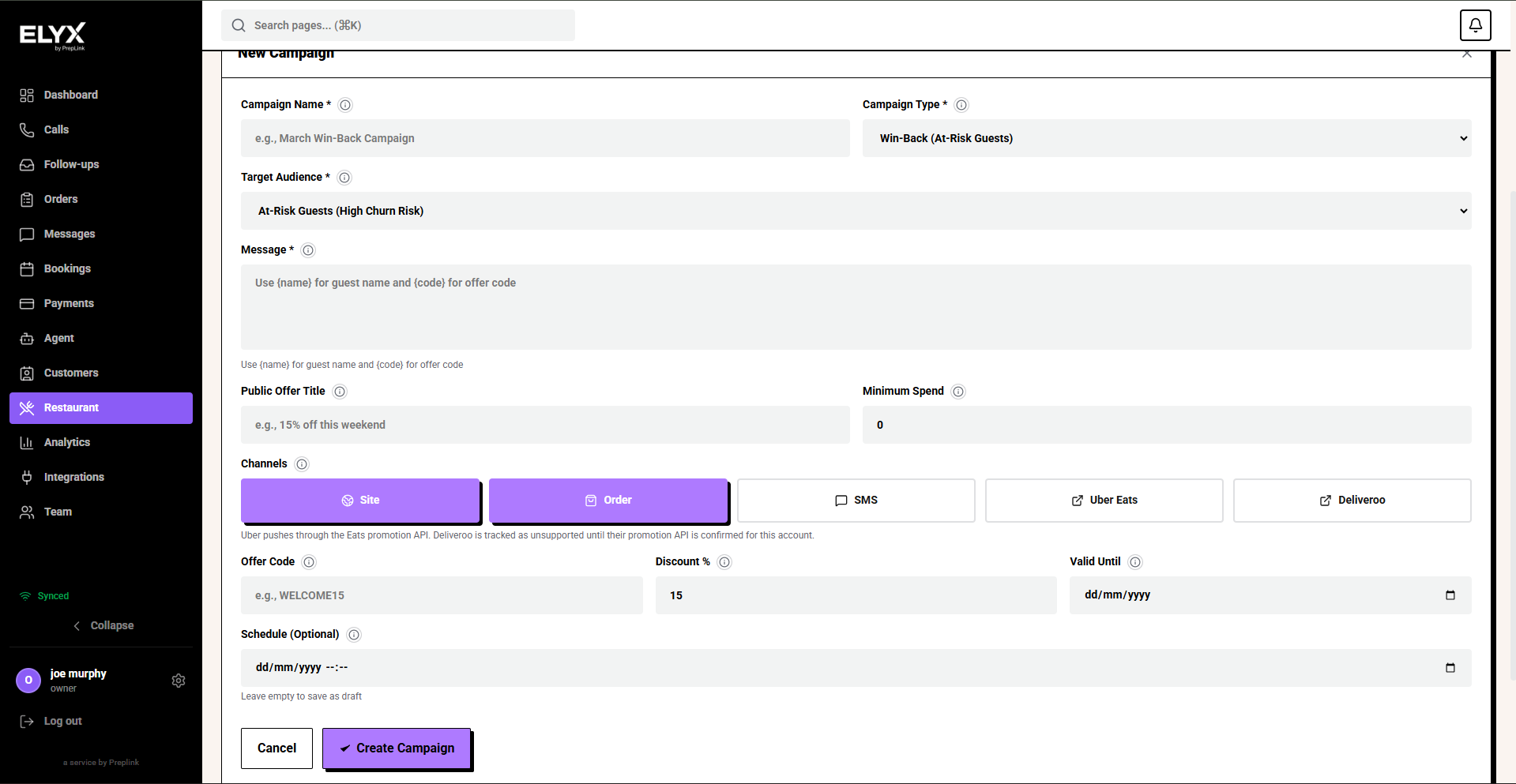
- Select a template or start blank.
- Choose the channel: SMS, Email, or both where available.
- Choose the audience or segment.
- Write the message.
- Add a booking link, offer code, or clear call to action.
- Review the estimated send count.
- Send a test if available.
- Choose Send now or Schedule.
Choose an audience
Use segments so the message feels relevant.
Examples:
- Has not visited in 60 days.
- VIP guests.
- Visited more than 3 times.
- Birthday this month.
- Ordered delivery but not dine-in.
- Booked private dining before.
Avoid sending every message to every guest. It causes unsubscribes and weak results.
Write better SMS copy
SMS should be short and specific.
Good SMS structure:
- Restaurant name.
- Reason for the message.
- Offer or update.
- Clear action.
- Expiry date if relevant.
Example:
Resk Bistro: New spring menu is live. Book dinner this week and get a free dessert for two. Book: example.com/book Ends Sunday.
Keep offers simple enough that front-of-house can honour them without arguing at the till.
Write better email copy
Email can include more detail than SMS, but keep it focused.
Use:
- Clear subject line.
- Short opening.
- One main offer or message.
- Strong booking link.
- Expiry date or event date.
- Restaurant contact details.
Do not bury the booking link at the bottom.
Review campaign results
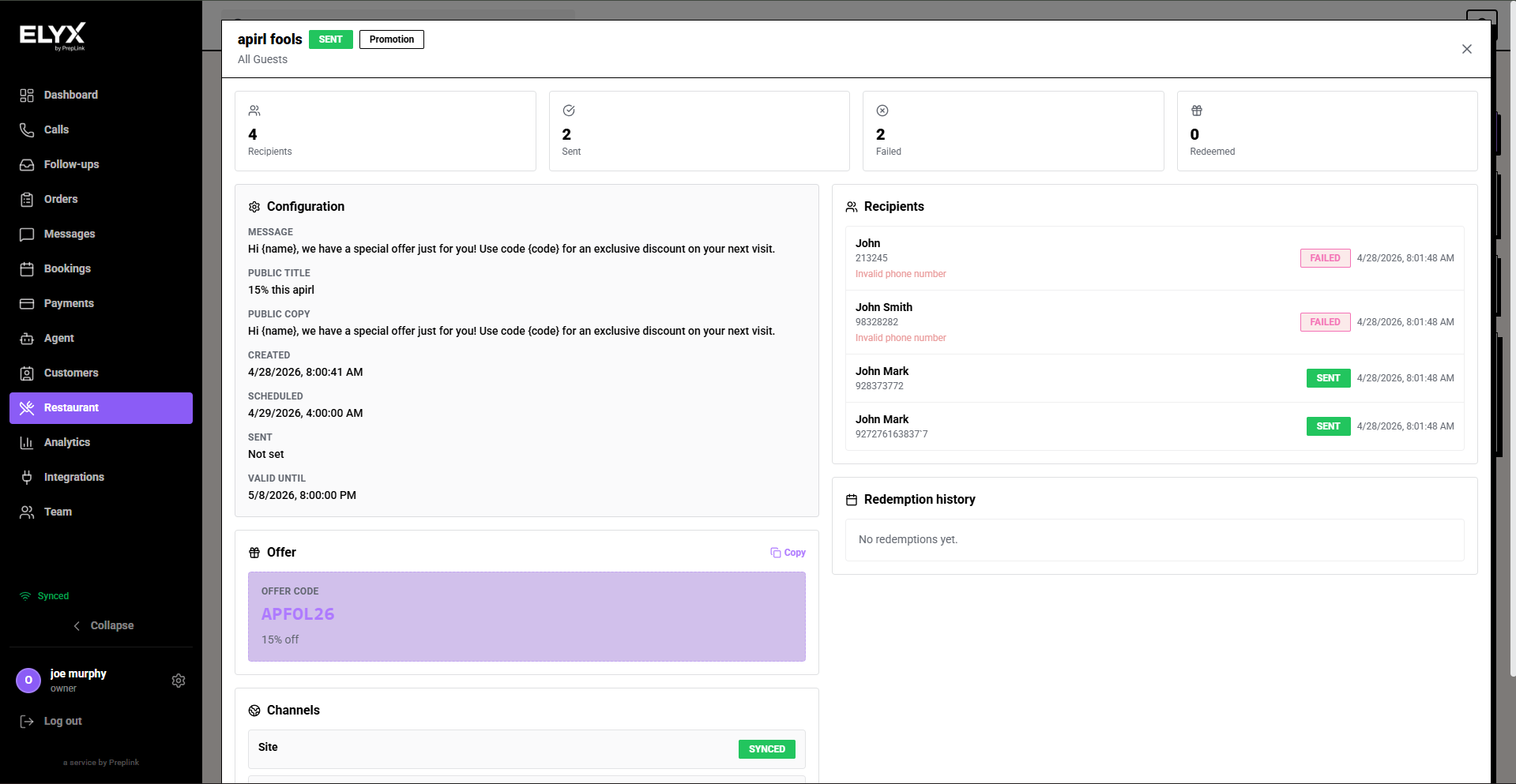
After sending, check:
- Sent count.
- Failed messages.
- Opens for email where available.
- Clicks where available.
- Bookings created after the campaign.
- Offer redemptions.
- Unsubscribes or complaints.
Use results to improve the next campaign. A smaller, better-targeted audience often performs better than a broad blast.
Common mistakes
- Sending to duplicate guests.
- Sending without checking consent or opt-in rules.
- Making the offer too complicated for staff to honour.
- Forgetting expiry dates.
- Sending a win-back message to someone who visited yesterday.
- Using long SMS messages that split into multiple parts.
- Not checking failed sends.
If something goes wrong - Check Guests, Messages, and Contact support.
Related articles - Public booking page, Restaurant dashboard and analytics.
Last updated: April 2026