Data source and knowledge setup
Quick answer - Resk can learn from your website, uploaded documents, or details you enter manually. Review everything before go-live so callers do not hear old prices, old hours, or rules you no longer use.
Use this guide when - Owners, managers, and onboarding teams setting up Resk for the first time.
Before you start - Gather your website URL, service list, opening hours, cancellation policy, pricing, parking notes, deposit rules, and any menus or PDFs customers rely on.
Choose the best source
Use the source that is most accurate today.
| Source | Use it when | Avoid it when |
|---|---|---|
| Website | Your public site is current and complete. | The site has old hours, old prices, or missing services. |
| Uploaded documents | Your best information is in PDFs, menus, price lists, or policy docs. | The files contain private staff notes. |
| Manual setup | You want full control or your website is messy. | You need to import a large amount of clean information quickly. |
Import business details
- Open the onboarding step for Business details or Data source.
- Choose Website, Upload documents, or Manual setup.
- Enter the website URL or upload the file if asked.
- Choose Continue.
- Wait for Resk to prepare the imported details.
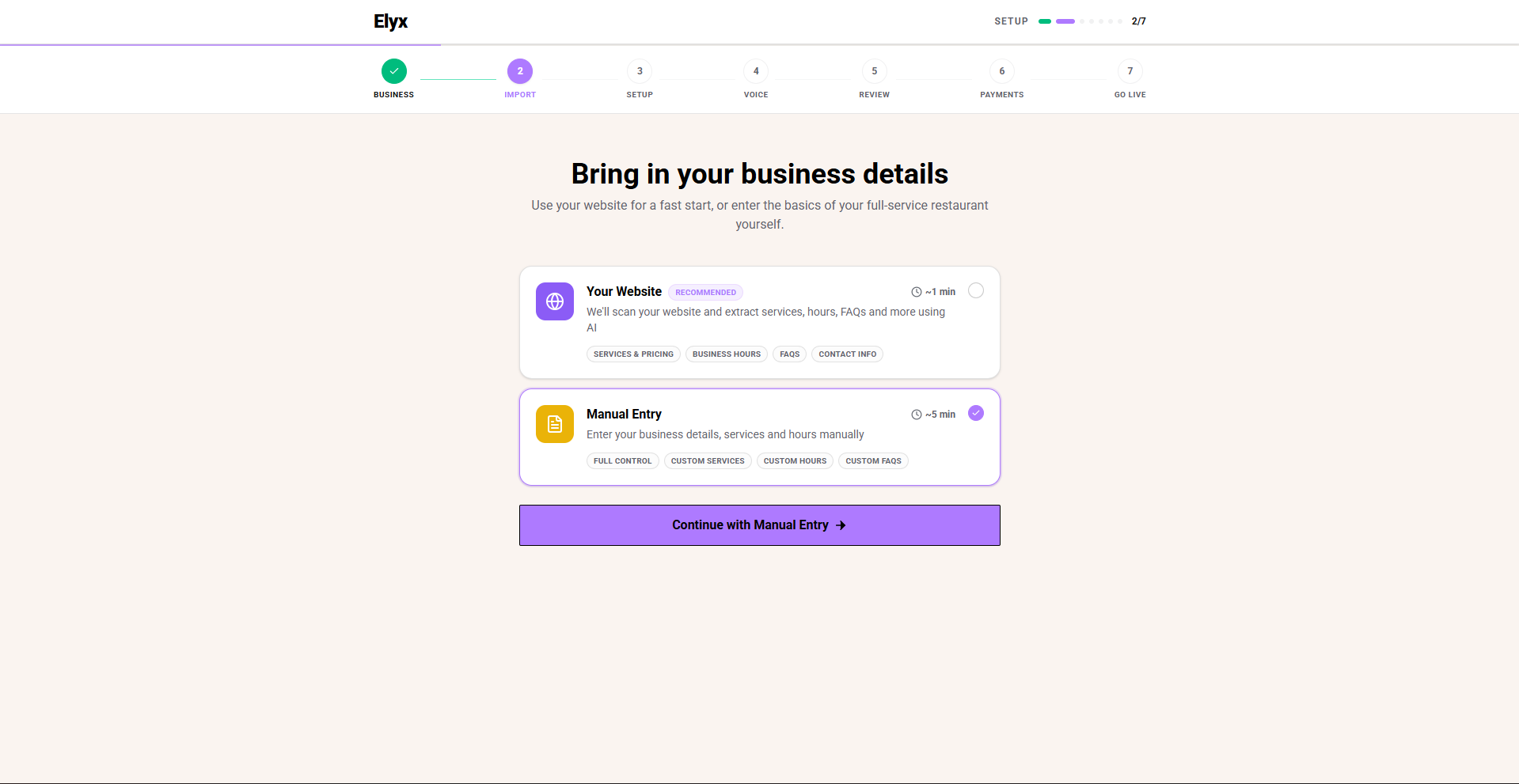
You are finished with this step when Resk shows a review screen or asks you to confirm the imported information.
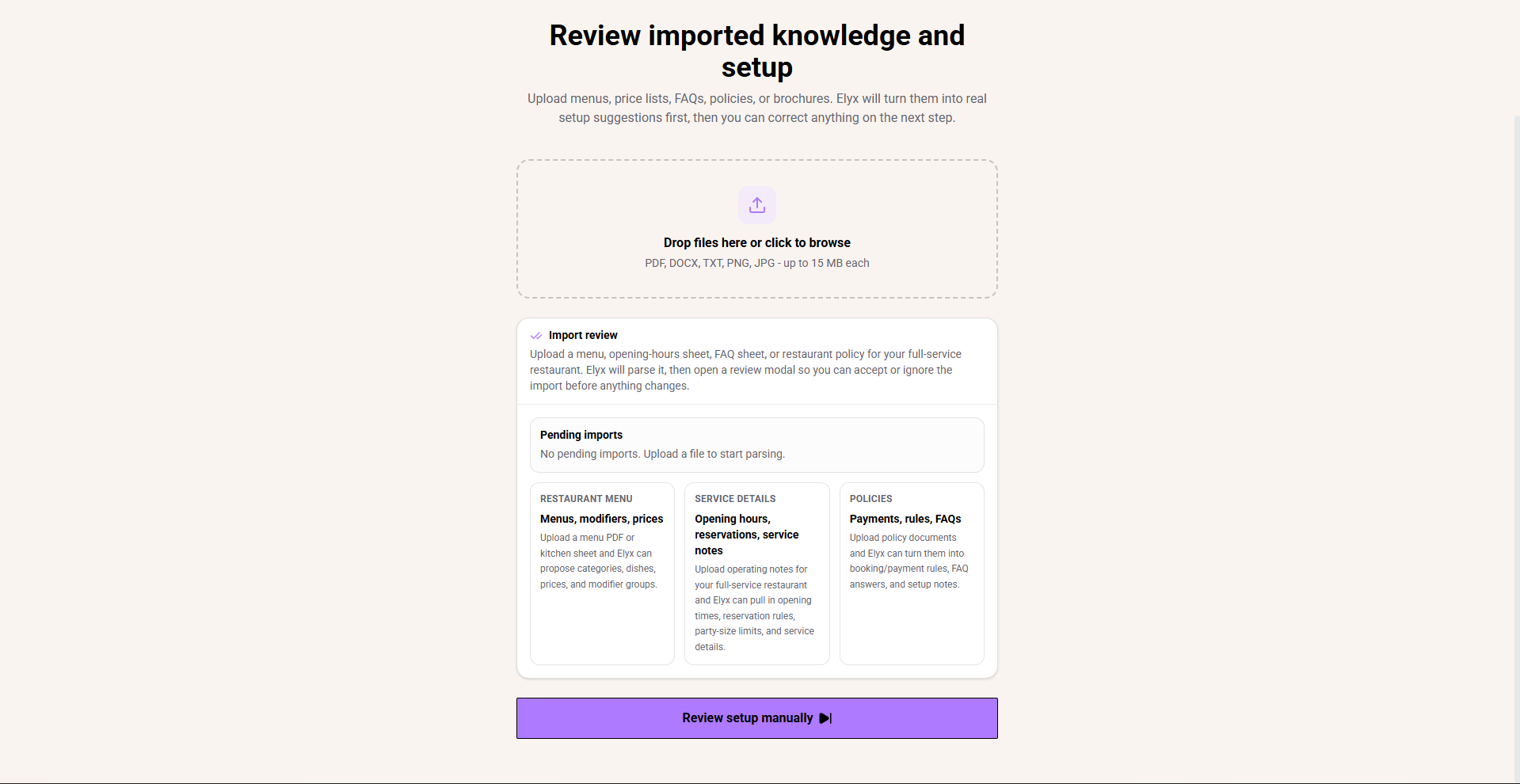
Review imported knowledge
- Open Review imported knowledge and setup.
- Check the business name.
- Check phone number, email, address, and website.
- Check regular opening hours.
- Check services, prices, durations, and descriptions.
- Remove old or duplicate information.
- Remove anything written for staff only.
- Add missing rules that callers ask about often.
- Save the review.
What to add manually
Add information that customers ask but your website may not explain clearly:
- What services can be booked.
- How long services take.
- Deposit or cancellation rules.
- Late arrival policy.
- Large booking policy.
- Parking or access notes.
- Allergy, safety, or vehicle drop-off wording.
- When Resk should ask a human to help.
How to write good knowledge
Write knowledge like a staff member answering the phone:
- Use short sentences.
- Use current prices and hours.
- Say what the business can do.
- Say what the business cannot do.
- Include the exact wording staff should use for sensitive topics.
Example:
For parties of 8 or more, take the caller's name and phone number and create a follow-up for the manager. Do not confirm the booking on the call.
Test the knowledge
- Call your Resk number.
- Ask about opening hours.
- Ask about a service or policy.
- Ask something the AI should not handle.
- Open Calls and review the answer.
- Update knowledge if the answer was unclear, old, or too confident.
Common mistakes
- Importing from a website that still lists old prices.
- Uploading internal notes that customers should never hear.
- Leaving service names vague, such as “standard service”, without duration or price guidance.
- Assuming the import is correct without testing a real call.
If something goes wrong
If imported knowledge looks wrong, use manual setup or upload a cleaner document. If the same bad answer keeps appearing after you correct it, contact support and include the exact question the caller asked.
Related articles
Last updated: April 2026