Restaurant AI and core Resk
Quick answer - The restaurant module connects to core Resk through calls, messages, customers, tasks, analytics, and the AI agent. The AI can answer restaurant questions and, where enabled, create or change reservations. It works best when settings, tables, menu, availability, and knowledge are accurate.
Use this guide when - Owners, GMs, admins, customer support, and anyone who updates AI knowledge or restaurant rules.
Before you start - Review AI agent and voice, Restaurant settings, Tables, Reservations, and Menu management.
What the AI can help with
Depending on your account setup, the AI may be able to:
- Answer opening-hours questions.
- Explain location, parking, accessibility, and dress code.
- Answer menu and price questions.
- Explain allergens and dietary options using approved wording.
- Create reservations.
- Change or cancel reservations.
- Take messages for staff.
- Create callback tasks.
- Escalate calls when it cannot safely answer.
Only enable actions the restaurant is ready to support operationally.
What the AI reads
The AI can only be as accurate as the information behind it.
| Source | Why it matters |
|---|---|
| Restaurant settings | Hours, service periods, party limits, and booking rules. |
| Tables | Capacity and availability. |
| Reservations | Existing bookings and table usage. |
| Menu | Items, prices, descriptions, allergens, and availability. |
| Knowledge | Policies such as deposits, parking, events, dress code, and allergy wording. |
| Core agent settings | Voice, escalation, call handling, and task behaviour. |
When the AI gives a wrong answer, check the source data before changing the prompt.
Teach restaurant knowledge
Add clear knowledge for questions guests commonly ask:
- Address and parking.
- Opening hours and holiday hours.
- Last seating and kitchen close.
- Large-party policy.
- Deposit and cancellation policy.
- Outdoor seating rules.
- Children, high chairs, dogs, or accessibility.
- Allergy process and cross-contamination wording.
- Dress code.
- Private dining or events.
- Delivery and collection rules.
Write answers in the same tone staff would use on the phone.
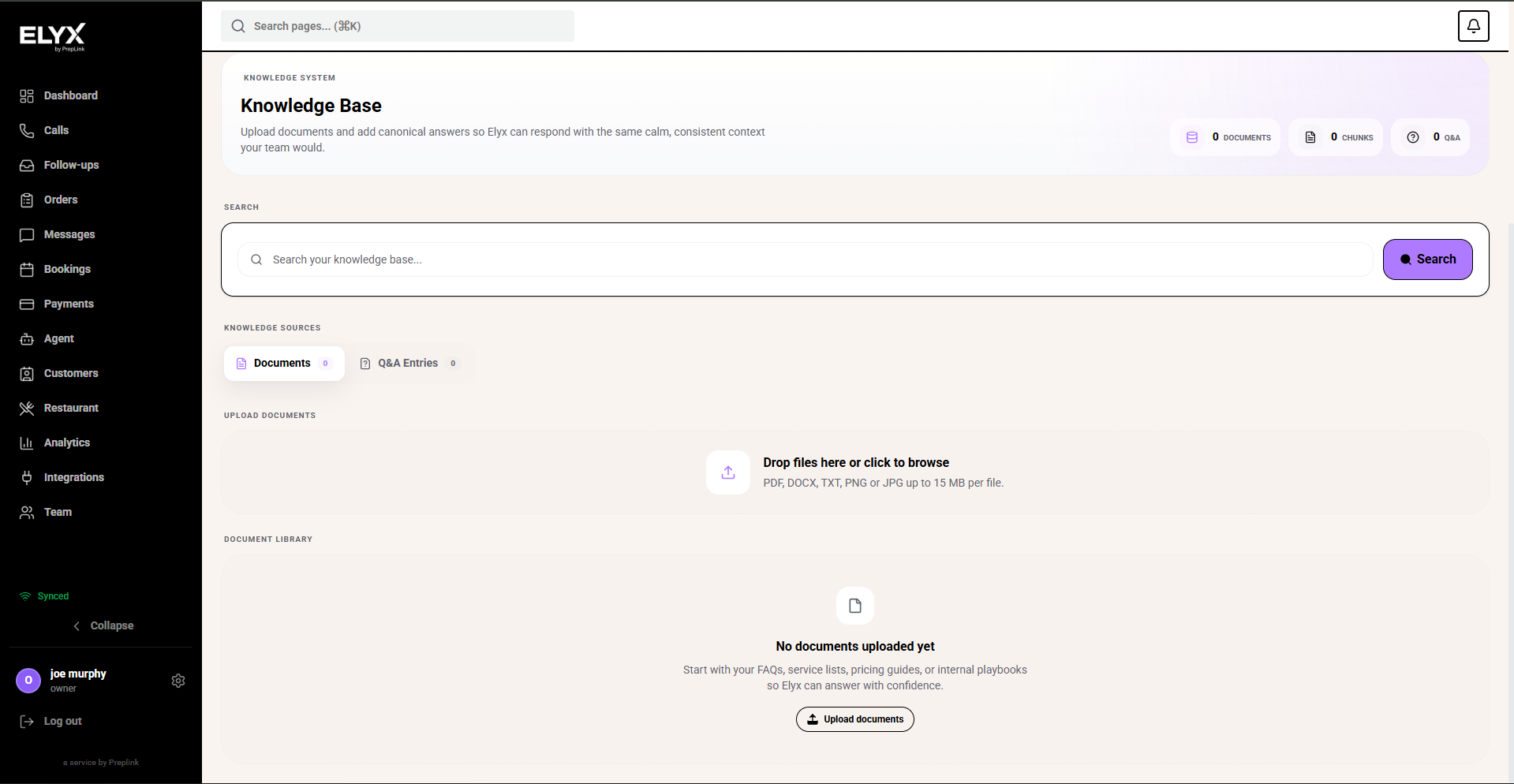
Use Documents when the restaurant already has reliable source material, such as menus, private dining packs, policy PDFs, service lists, or opening-hour documents. Upload only customer-safe information. Do not upload private staff notes, internal passwords, payroll information, or old menus guests should not hear about.
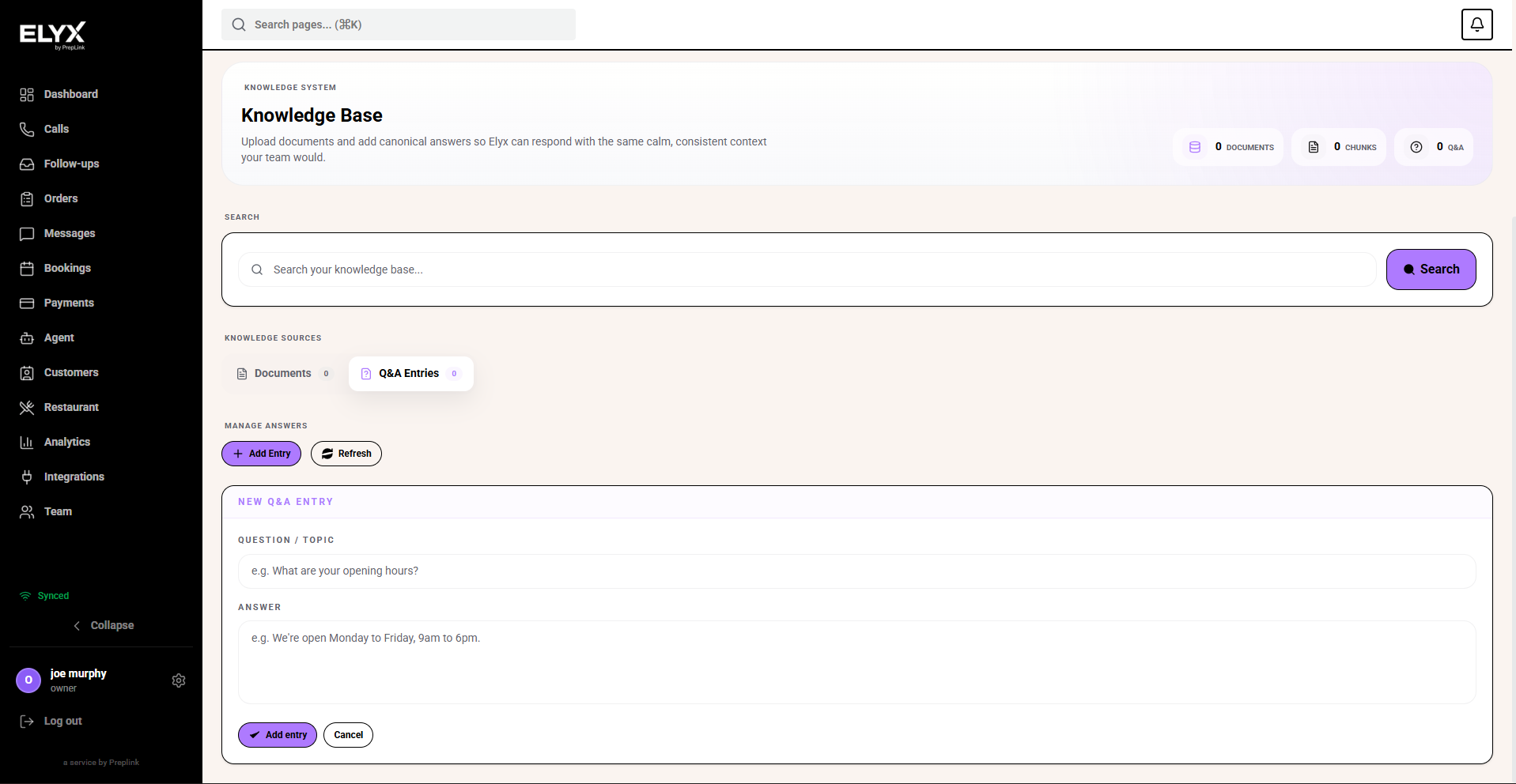
Use Q&A Entries for short, controlled answers. This is best for questions such as parking, dress code, high chairs, corkage, dogs, deposits, large parties, or allergy wording. Keep each answer direct enough that it would sound natural on a phone call.
Set restaurant voice, style, and greeting
The restaurant AI should sound like the front-of-house team, not like a generic script. Set voice and style before launch, then test with real calls.
- Open Agent.
- Open the restaurant agent.
- Choose Voice.
- Pick a voice and preview it.
- Set tone and speaking speed.
- Choose the business style preset or adjust local flavour, hospitality tone, formality, energy, light humour, and preferred locale.
- Add business notes that describe how the restaurant speaks to guests.
- Write the opening message.
- Choose Save changes.
- Place a test call and listen on a normal phone.
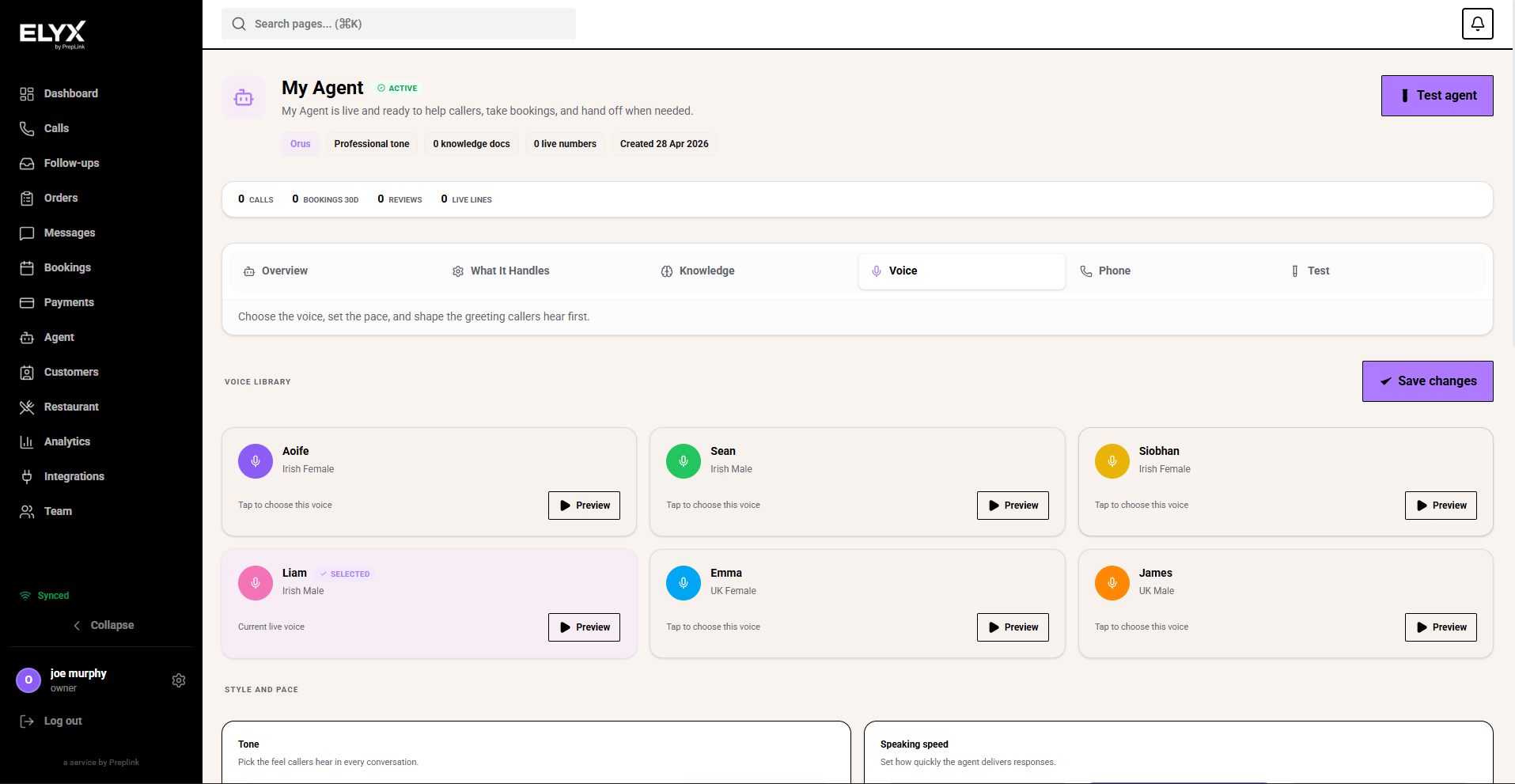
Choose a voice that is clear on phone audio. A voice that sounds good on laptop speakers can still feel too fast, too quiet, or too casual over a real call.
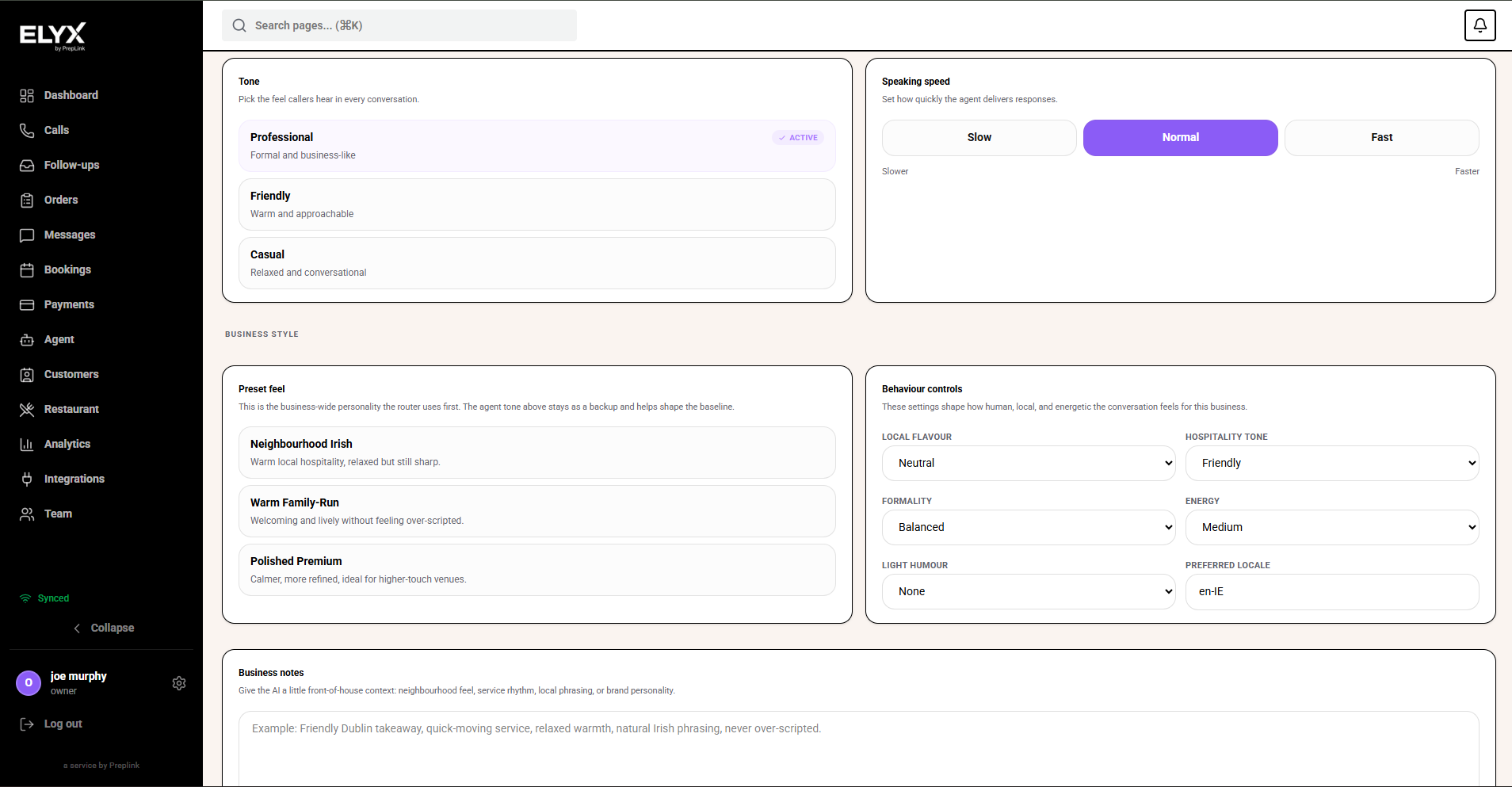
Use tone and pace to control the everyday feel of the call. For a restaurant, Professional and Normal are usually safest at launch. Use Friendly or more local style only when it still matches how staff answer the phone.
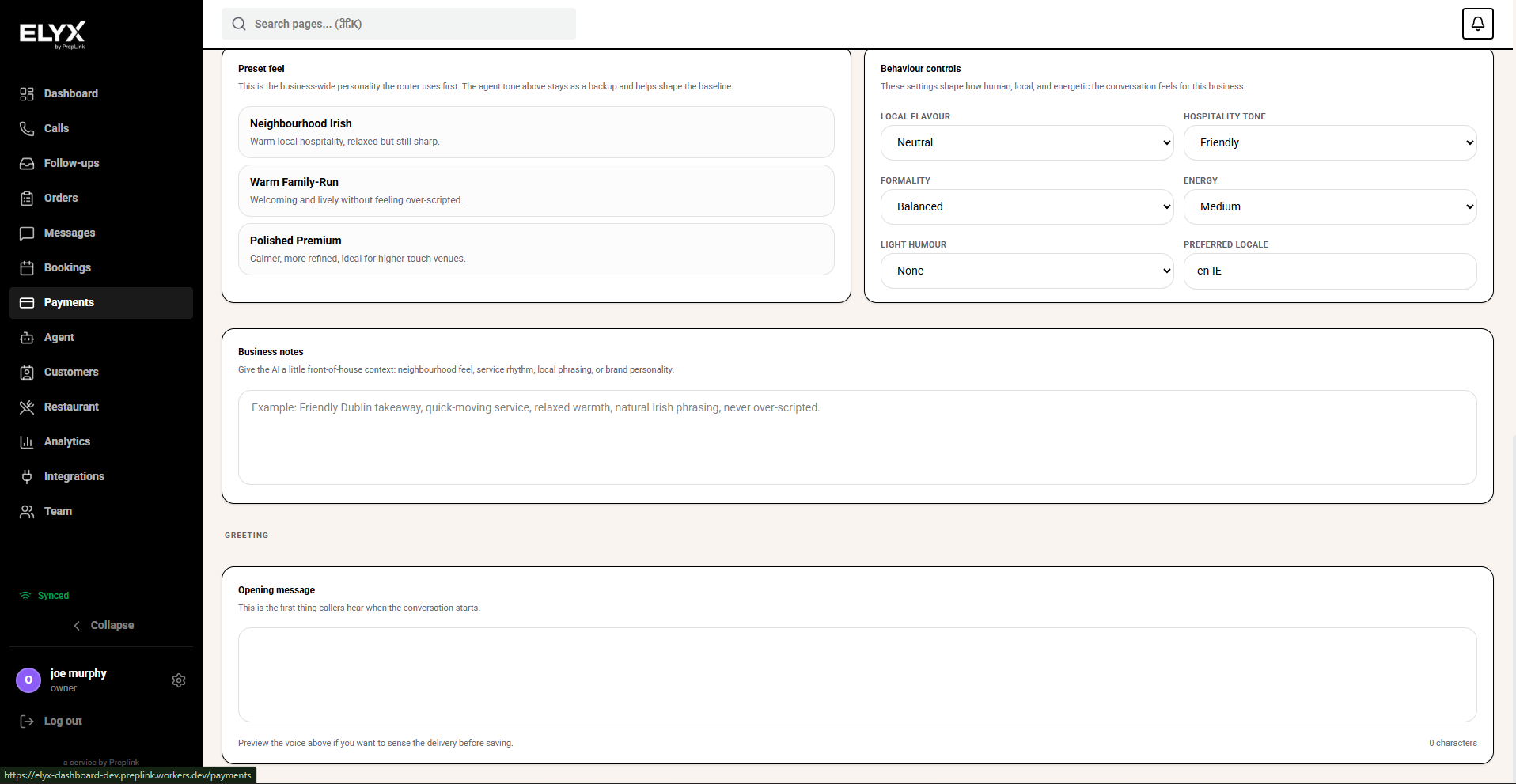
The opening message is the first thing callers hear. Keep it short: name the restaurant, say what Resk can help with, and invite the guest to speak naturally. Avoid long menus, joke wording, or promises the AI cannot keep.
Safe allergy wording
Avoid wording that promises medical certainty unless the restaurant can truly guarantee it.
Safer examples:
- Please tell us about allergies when booking and again when you arrive.
- Our team can advise on ingredients, but we cannot guarantee a completely allergen-free kitchen.
- For severe allergies, we recommend speaking with a manager before ordering.
Make sure the AI, menu, website, and staff all use consistent wording.
Test AI booking
Before allowing the AI to book reservations:
- Confirm settings and tables are correct.
- Create test bookings manually.
- Ask the AI for a normal booking.
- Ask for a booking outside opening hours.
- Ask for a party larger than your limit.
- Ask to change a booking.
- Ask to cancel a booking.
- Confirm each action appears correctly in reservations.
- Check any notifications or tasks created.
If a test fails, fix the underlying data and test again.
How restaurant data appears in core Resk
| Core area | Restaurant connection |
|---|---|
| Calls | Restaurant calls can create bookings, messages, tasks, or guest context. |
| Customers | Guests can appear in the broader customer list with call and message history. |
| Messages | Booking confirmations, waitlist texts, and campaign messages use shared messaging rules. |
| Tasks | Callbacks, no-show follow-ups, and staff actions can appear as tasks. |
| Analytics | Restaurant revenue, bookings, covers, and guest behaviour may roll into wider analytics. |
| Settings | Roles, permissions, notifications, and integrations affect restaurant workflows. |
Escalation rules
Teach the AI when to stop and involve staff.
Escalate when:
- The guest reports a severe allergy.
- A party is above the normal limit.
- A guest asks for a refund or complaint resolution.
- A payment or deposit dispute occurs.
- A booking needs manager approval.
- The guest is angry or confused.
- The AI is not confident about availability or policy.
Escalation should create a clear message, task, or callback route.
Common mistakes
- Updating menu prices but not AI knowledge.
- Teaching the AI old opening hours.
- Letting the AI book tables before capacity is tested.
- Using allergy wording that is too confident.
- Not telling staff what the AI can and cannot do.
- Forgetting to review call transcripts after launch.
- Treating AI issues as prompt issues when the source data is wrong.
If something goes wrong - Check AI agent and voice, Reservations, Menu management, and Troubleshooting.
Related articles - Public booking page, Guests, Campaigns, Core analytics.
Last updated: April 2026