Restaurant dashboard and analytics
Quick answer - The restaurant dashboard is the daily control screen. Use it to check today’s reservations, covers, revenue, delivery, open tasks, and AI insights. Use analytics to review patterns across days, weeks, channels, menu items, and busy periods.
Use this guide when - Owners, GMs, and shift leads are reviewing restaurant performance.
Before you start - Make sure staff close orders, update reservation statuses, and keep menu items coded consistently. Dashboard numbers are only useful when the operational data is kept clean.
What to check at opening
- Open Restaurant.
- Choose Dashboard.
- Check today’s reservations and covers.
- Look for large parties, unassigned tables, allergy notes, and deposit issues.
- Check delivery or orders if your account uses those features.
- Review tasks or AI follow-ups.
- Note any AI insight that affects staffing, stock, or prep.
This should take less than five minutes at the start of a shift.
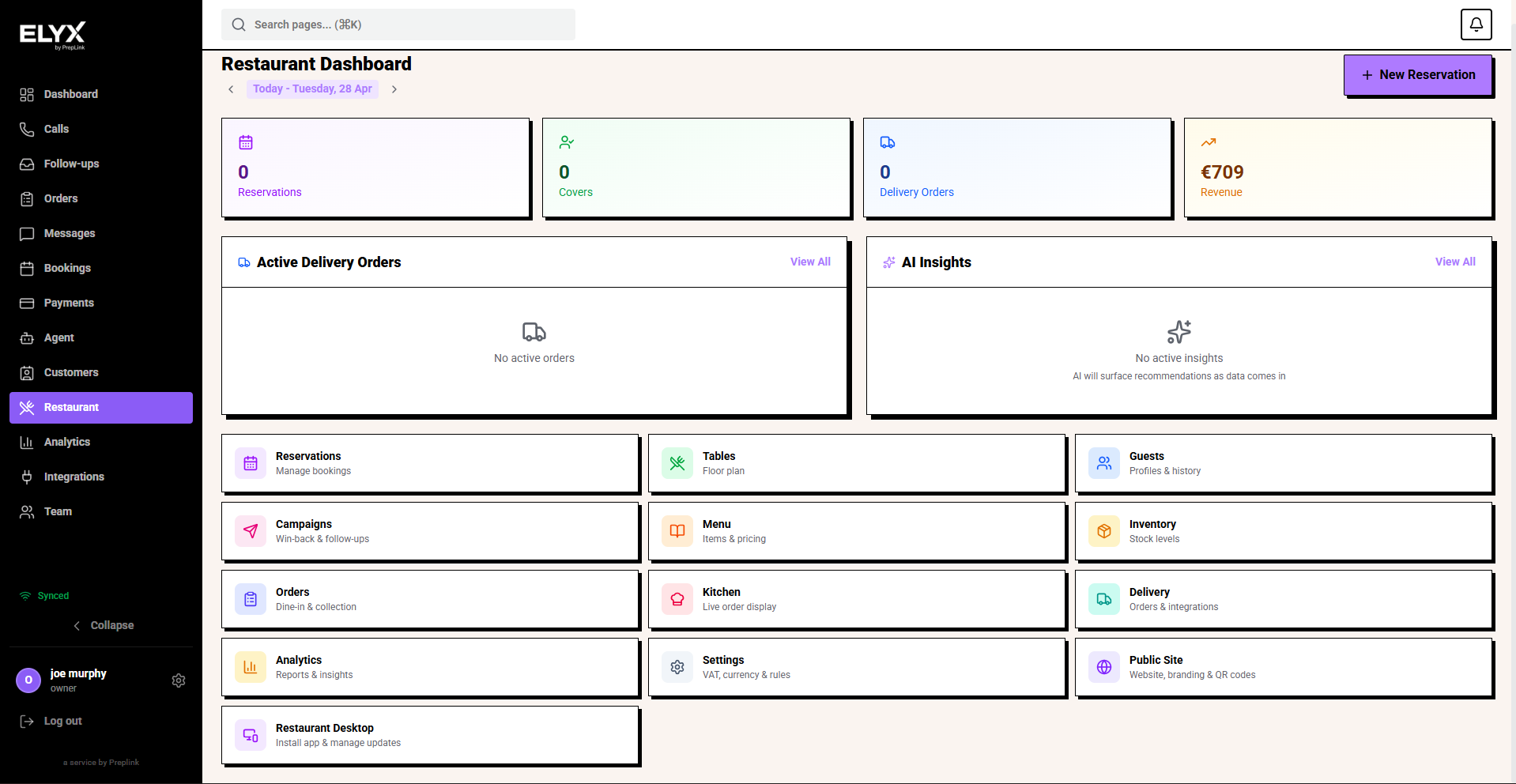
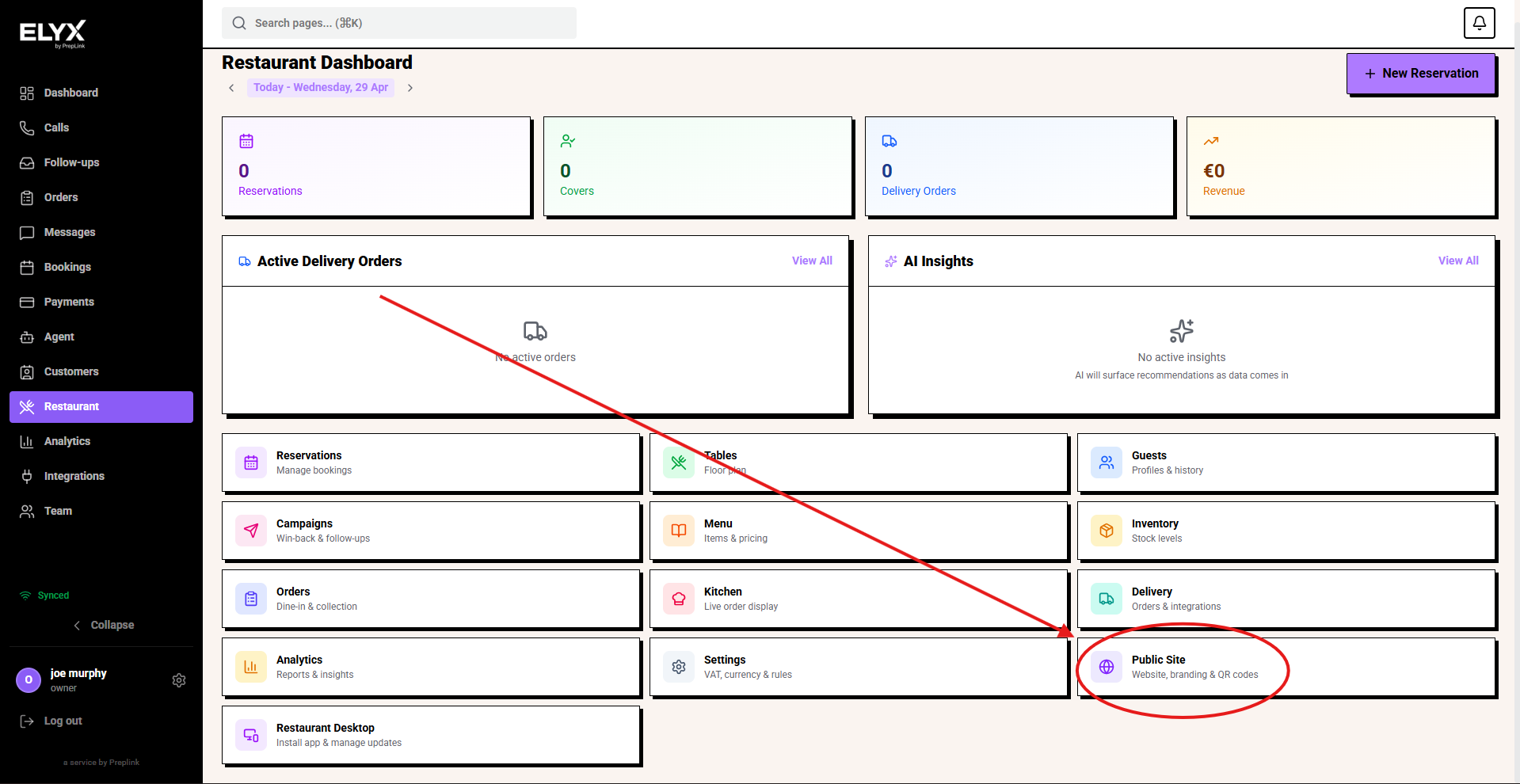
Dashboard cards
Your dashboard may show different cards depending on plan, permissions, and feature flags.
| Card | What it tells you | What to do |
|---|---|---|
| Reservations | Number of bookings today. | Open reservations and check timing, notes, and unassigned tables. |
| Covers | Expected number of guests. | Compare with staffing and prep levels. |
| Revenue | Sales for the day or selected period. | Check by channel if the number looks unusual. |
| Delivery | Active delivery order count or status. | Make sure orders are accepted and moving. |
| AI insights | Patterns found from calls, bookings, orders, or demand. | Use as prompts for action, not as a replacement for manager judgement. |
| Tasks | Follow-ups created by staff or AI. | Assign or complete urgent items before service. |
Active delivery and order panels
If delivery is enabled, the dashboard may show active platform or in-house orders.
Check:
- Platform name.
- Order ID.
- Time received.
- Current status.
- Items and modifiers.
- Rider or pickup timing where shown.
Open delayed orders before they become customer complaints.
AI insights
AI insights can highlight patterns such as:
- Fridays are busier than the previous month.
- A dish is selling faster than usual.
- A delivery platform is slower than normal.
- Calls are repeatedly asking about parking, allergens, or large parties.
- No-shows increased after a policy change.
Treat insights as a starting point. Confirm with the reservation book, orders, staff feedback, and financial reports before making major decisions.
Restaurant analytics
Analytics help you review performance beyond today.
Open Restaurant -> Intelligence or Restaurant -> Analytics, then choose a date range. You can use presets such as Today, Yesterday, This Week, Last Week, 7D, 30D, This Month, Last Month, 90D, or Custom.
Use Refresh metrics when you need the newest numbers, and use Export when you need a PDF or JSON copy for an internal report.
Main tabs:
| View | Use it for |
|---|---|
| Overview | Overall health, headline numbers, and daily patterns. |
| Revenue | Sales trends, order value, refunds, and revenue by channel where available. |
| Voice & Calls | Restaurant-related calls, booking requests, missed calls, and AI handling. |
| Service | Reservations, covers, table use, cancellations, no-shows, and busy periods. |
| Menu & Stock | Popular items, low-stock patterns, sold-out issues, and item performance. |
| Guests | New guests, returning guests, VIPs, lapsed guests, and guest value. |
| AI & Forecast | Forecasts, demand signals, and suggested operational changes. |
Use each tab to answer one practical question. For example, use Service to plan staffing, Menu & Stock to prepare specials and ingredients, and Guests to decide who should receive a campaign.
Weekly review routine
Once a week:
- Compare this week’s revenue with the previous week.
- Review covers by day and service period.
- Check no-shows and cancellations.
- Review popular and underperforming menu items.
- Look for items that frequently sell out.
- Review delivery delays and platform issues.
- Check campaign results if marketing was sent.
- Write down one operational change for next week.
Small weekly changes are usually more useful than a large monthly panic.
Common mistakes
- Treating dashboard numbers as final accounts.
- Comparing revenue without checking delivery fees, refunds, or payment status.
- Ignoring unassigned reservations until service starts.
- Assuming missing data means nothing happened.
- Letting orders stay open, which can distort revenue or status counts.
- Ignoring repeated AI insights because each one looks small on its own.
If something goes wrong - Check the source page first: Reservations, Orders, Delivery, or Inventory.
Related articles - Core analytics, Restaurant settings, Orders, Delivery.
Last updated: April 2026