Customers
Quick answer - Customers is your shared customer list. Use it to find callers, check contact details, read notes, add tags, and avoid duplicate follow-ups.
Use this guide when - Front desk, sales, owners, and anyone who returns customer contact.
Before you start - Search before creating a new customer. Many customers already exist because they called, booked, ordered, or messaged.
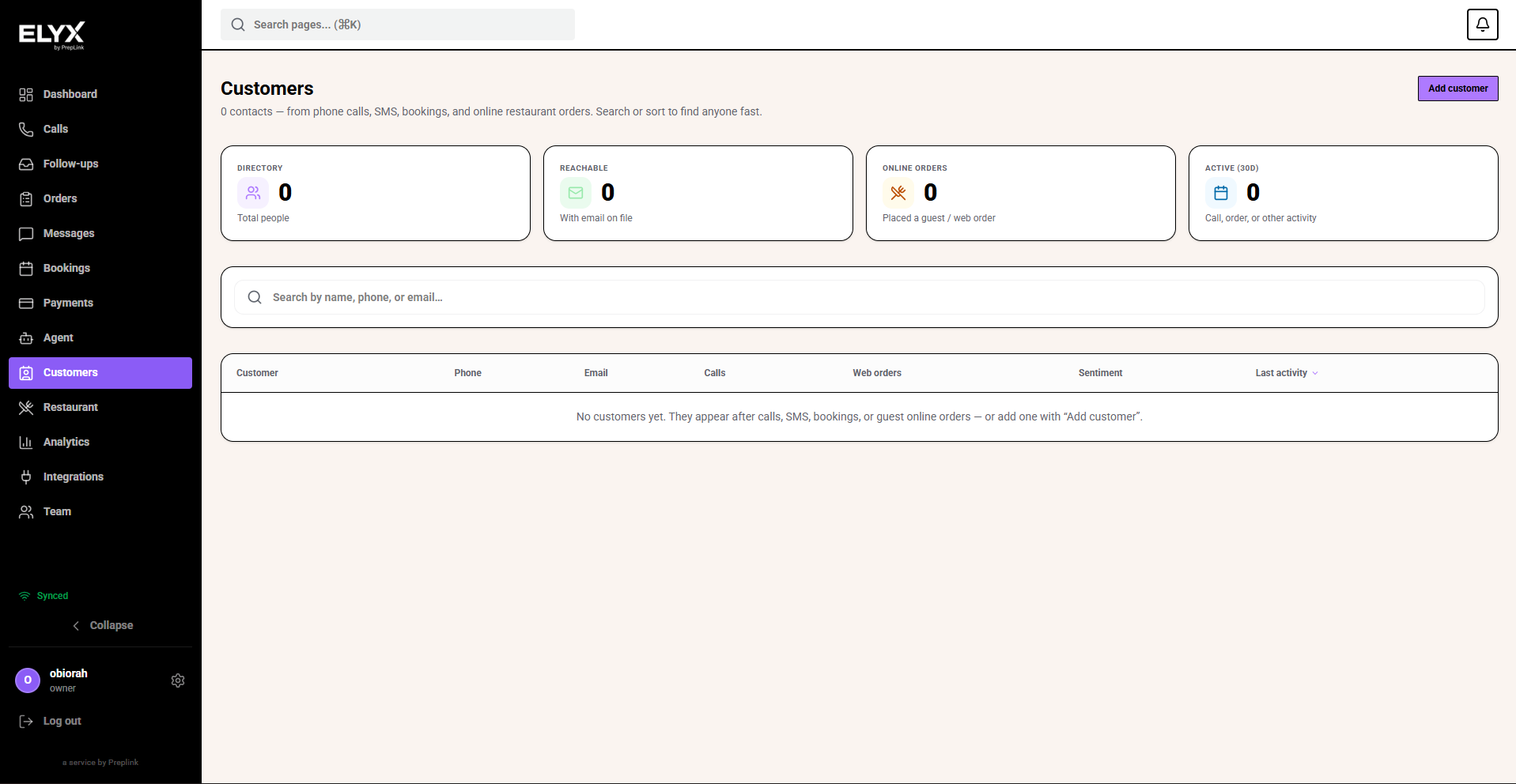
Open the customer list
- Choose Customers from the left menu.
- Use search for a name, phone number, or email.
- Open the matching customer.
- If there is no match, create a new customer if your role allows it.
Create a customer
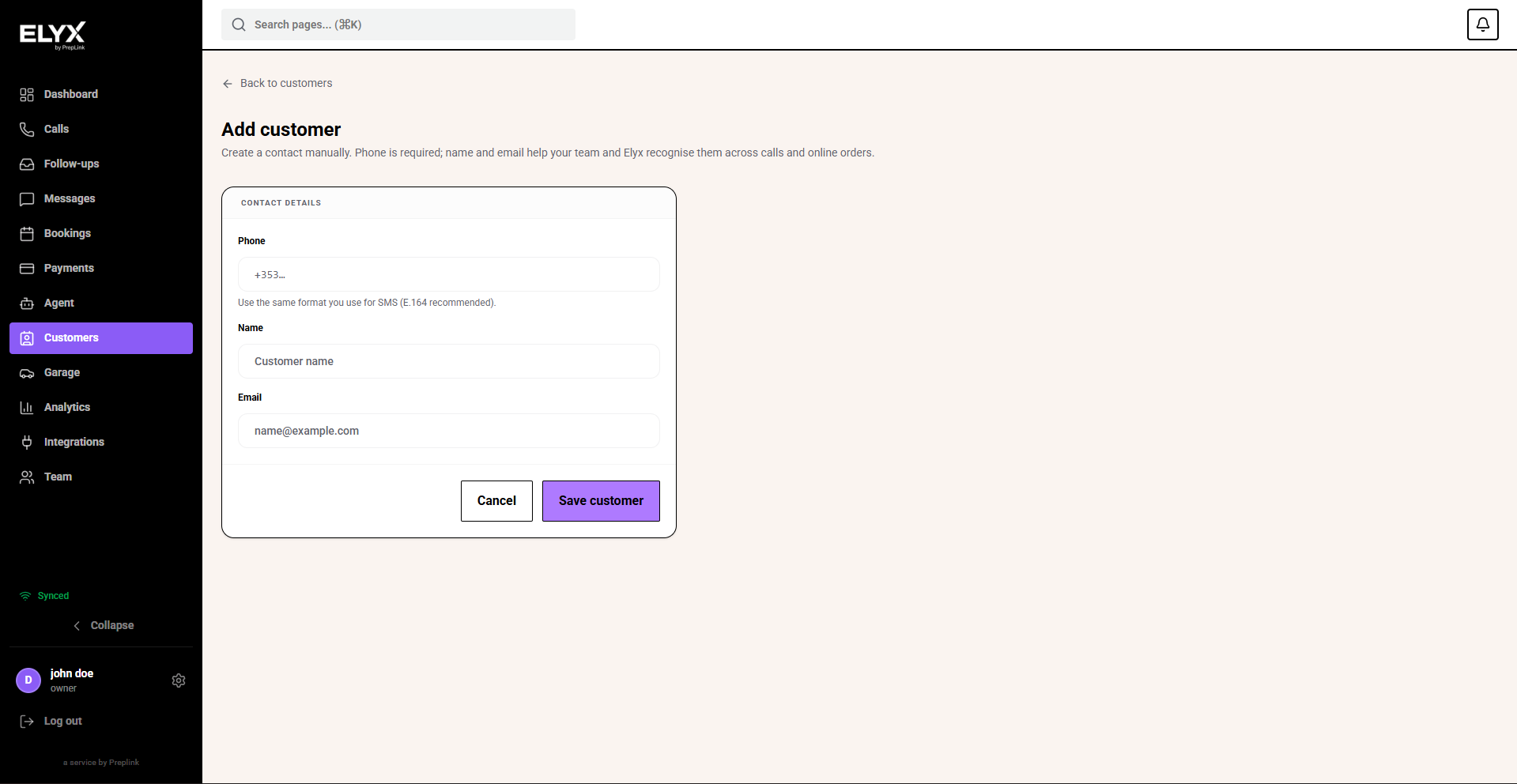
Use Add customer when someone has not called or booked yet, but staff need a record for future contact.
- Open Customers.
- Choose Add customer.
- Enter the phone number. This is required because Resk uses it to match calls and messages.
- Add the customer name if known.
- Add email if known.
- Choose Save customer.
- Open the new customer profile and add notes, tags, or extra details if needed.
Only collect information your business needs.
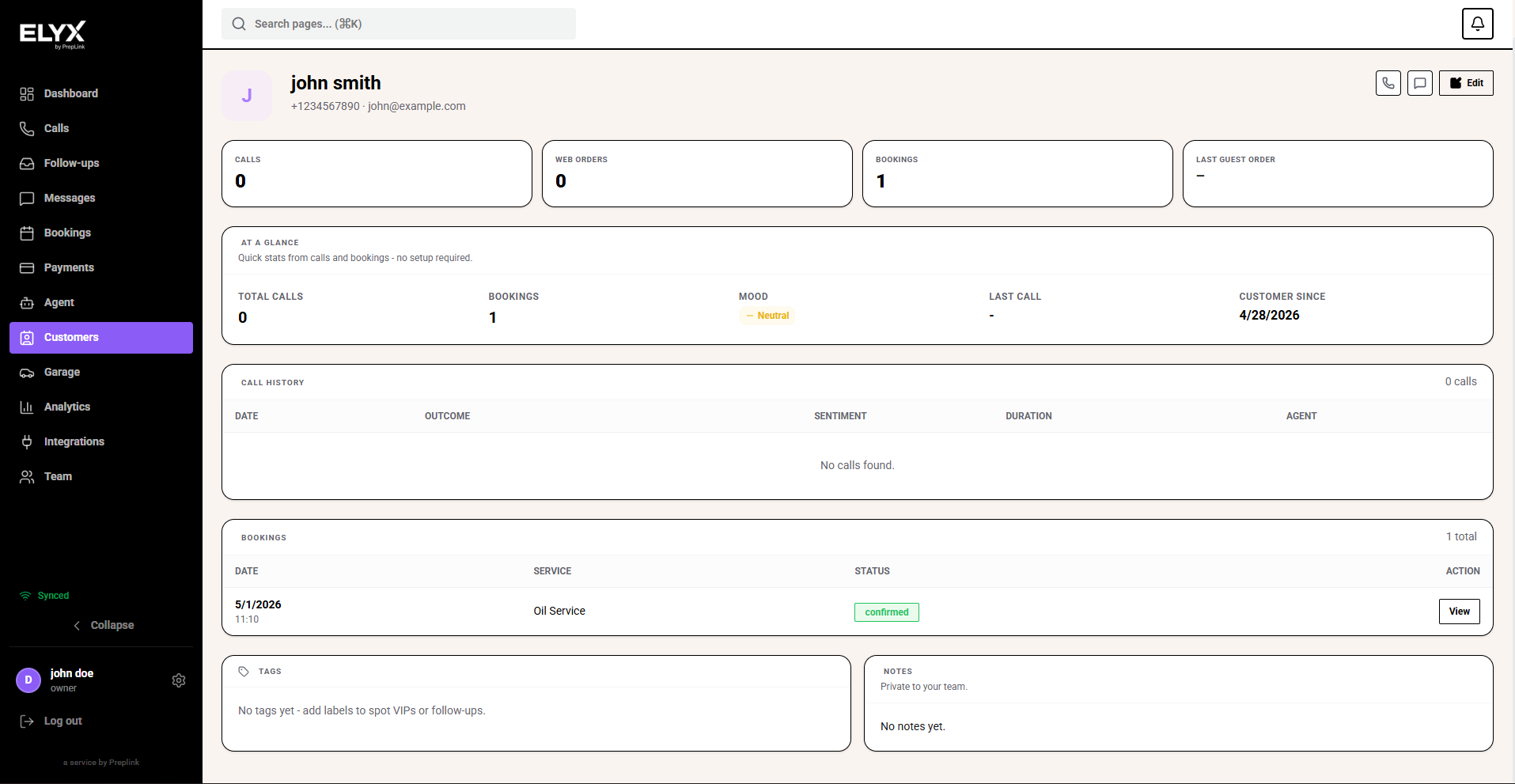
Read a customer profile
A profile may include:
- Contact details - Name, phone, email, and address.
- Activity - Calls, bookings, orders, jobs, invoices, or messages.
- Notes - Helpful team context.
- Tags - Labels for service or follow-up.
Edit customer details, tags, and notes
Tags and notes are edited on the same customer edit page, so you can update both at once.
- Open Customers.
- Search for the customer.
- Open the customer profile.
- Choose Edit.
- Update Name or Email if needed.
- Add tags in Tags. Separate tags with commas, such as
vip, callback, allergy note. - Add team notes in Notes.
- Add extra details if your team tracks preferences or internal handling notes.
- Choose Save customer.
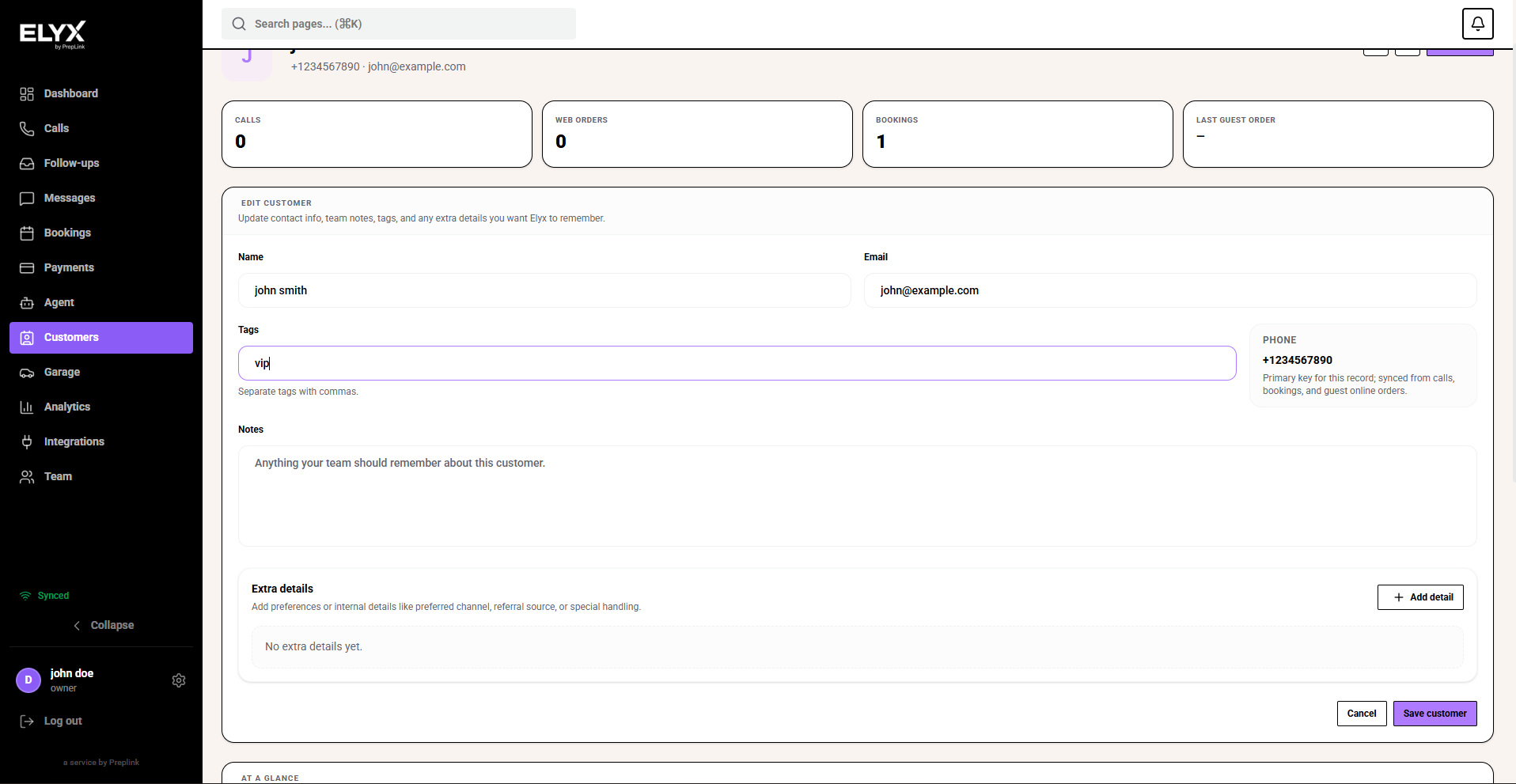
You are finished when the profile shows the updated tags and notes.
Good notes
Good notes are short, factual, and useful for service.
Good example:
Prefers morning appointments. Asked for a callback after 10am.
Avoid notes that are insulting, speculative, or too sensitive to store.
Good tags
Use a small list of tags that staff understand.
Good tags:
- VIP.
- Regular.
- Trade.
- Allergy note.
- Do not call Fridays.
- Needs manager approval.
Too many tags make the list harder to use.
Avoid duplicates
Before creating a customer:
- Search phone number.
- Search email.
- Search last name.
- Check likely matches.
If your account supports merging, merge duplicates carefully. If not, add a note and use the best profile consistently.
Common mistakes
- Creating duplicates because the same phone number was typed in a different format.
- Using too many tags until no one knows what they mean.
- Writing subjective notes that could create privacy or trust issues later.
- Storing card numbers, passwords, or sensitive information.
Related articles
Last updated: April 2026