Delivery integrations
Quick answer - Delivery integrations connect restaurant order sources such as marketplace or in-house delivery channels to Resk. Keep menu availability, store hours, and platform status in sync so staff do not accept orders they cannot make.
Use this guide when - Restaurant owners, managers, and delivery leads.
Before you start - Set up menu management, restaurant settings, and delivery.
Open delivery integrations
- Go to Restaurant -> Delivery -> Integrations.
- Review each platform status.
- Connect, reconnect, or disable platforms as needed.
- Check any warning banner before service starts.
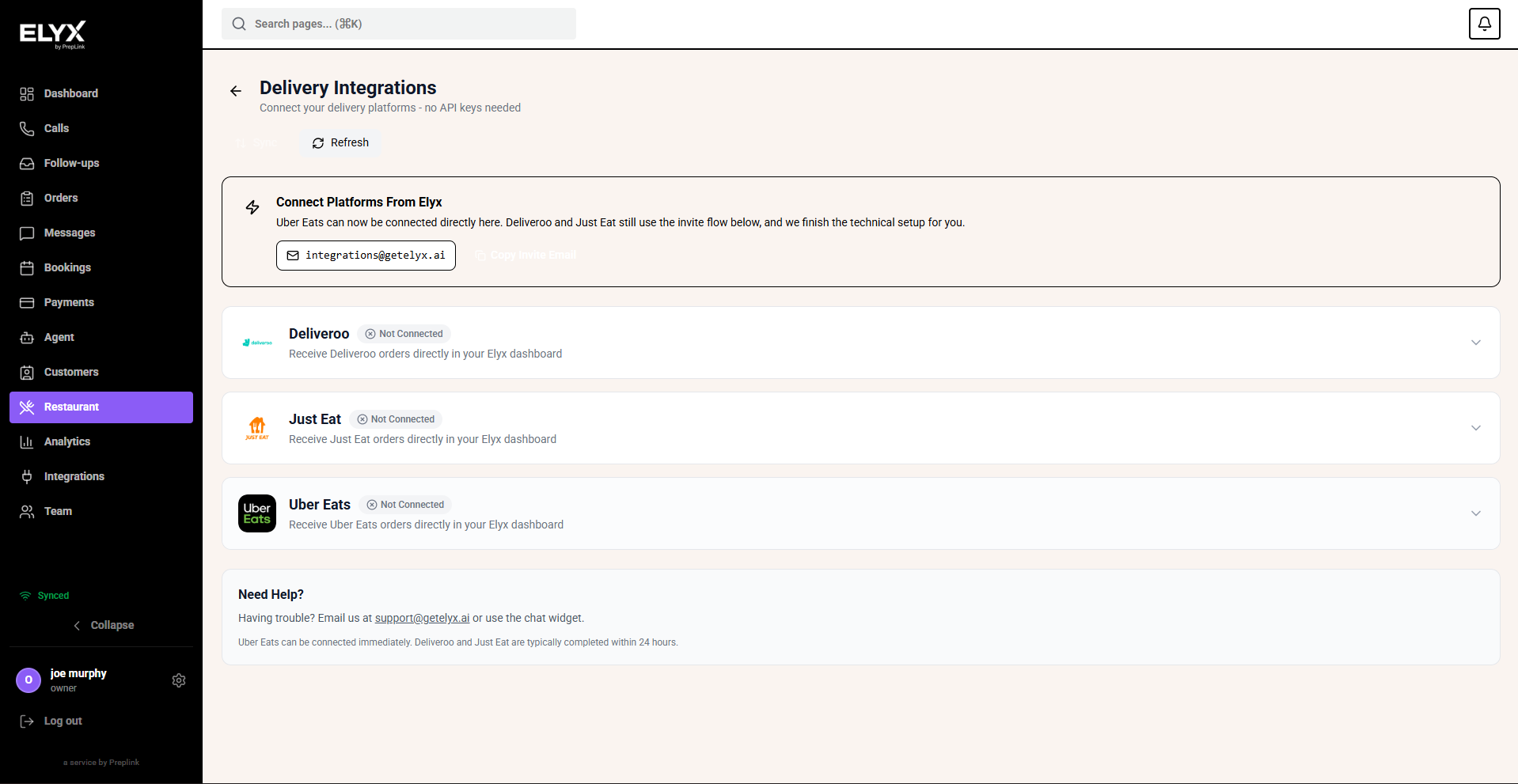
Connect a delivery platform
- Open Delivery integrations.
- Choose the platform you want to connect.
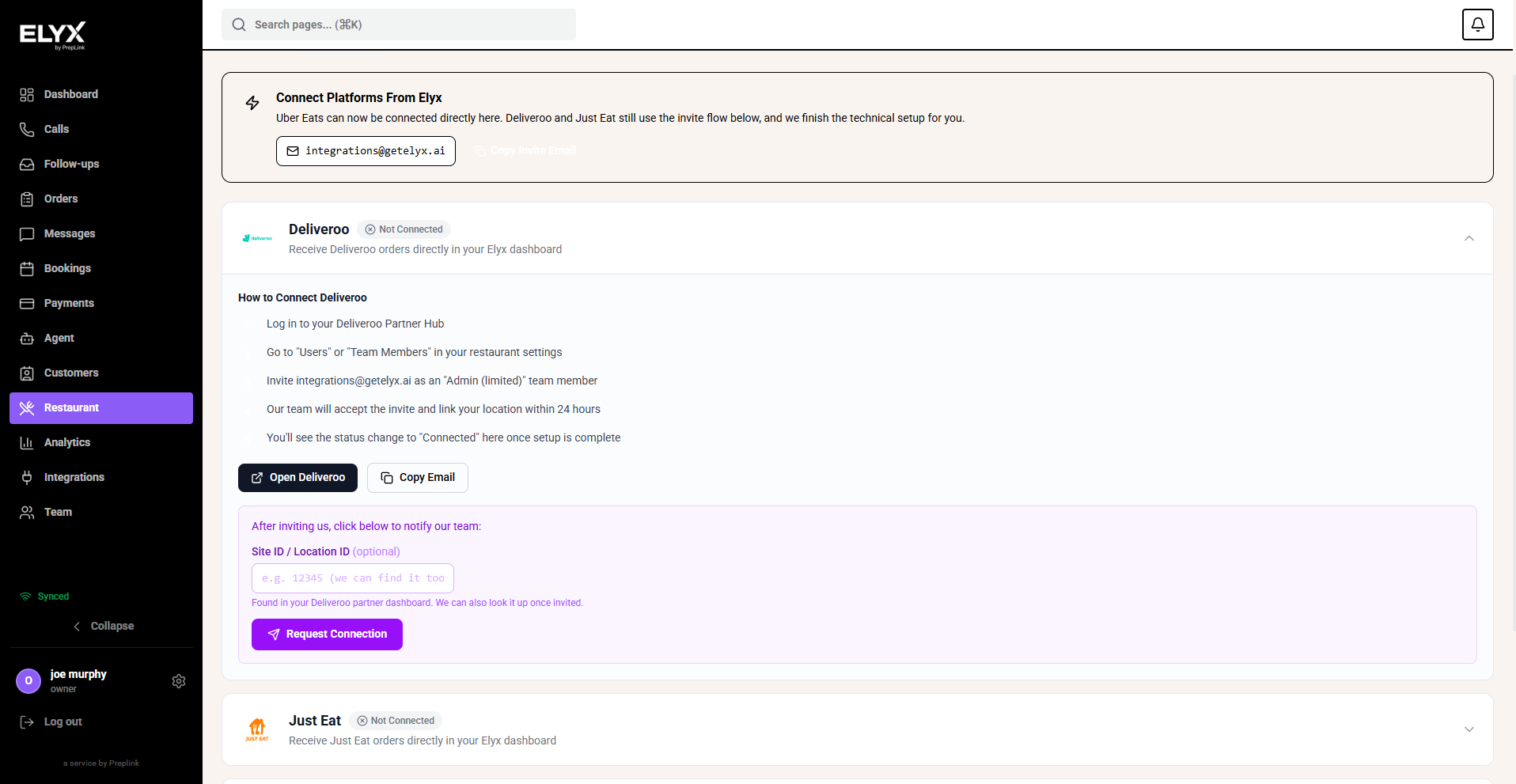
- Read the platform card so you know what account, store, or authorization is needed.
- Choose the connection action, such as Connect Uber Eats.
- Complete the platform sign-in or authorization step.
- Return to Resk and confirm the platform status changed.
- Check menu sync, store hours, and order flow before service.
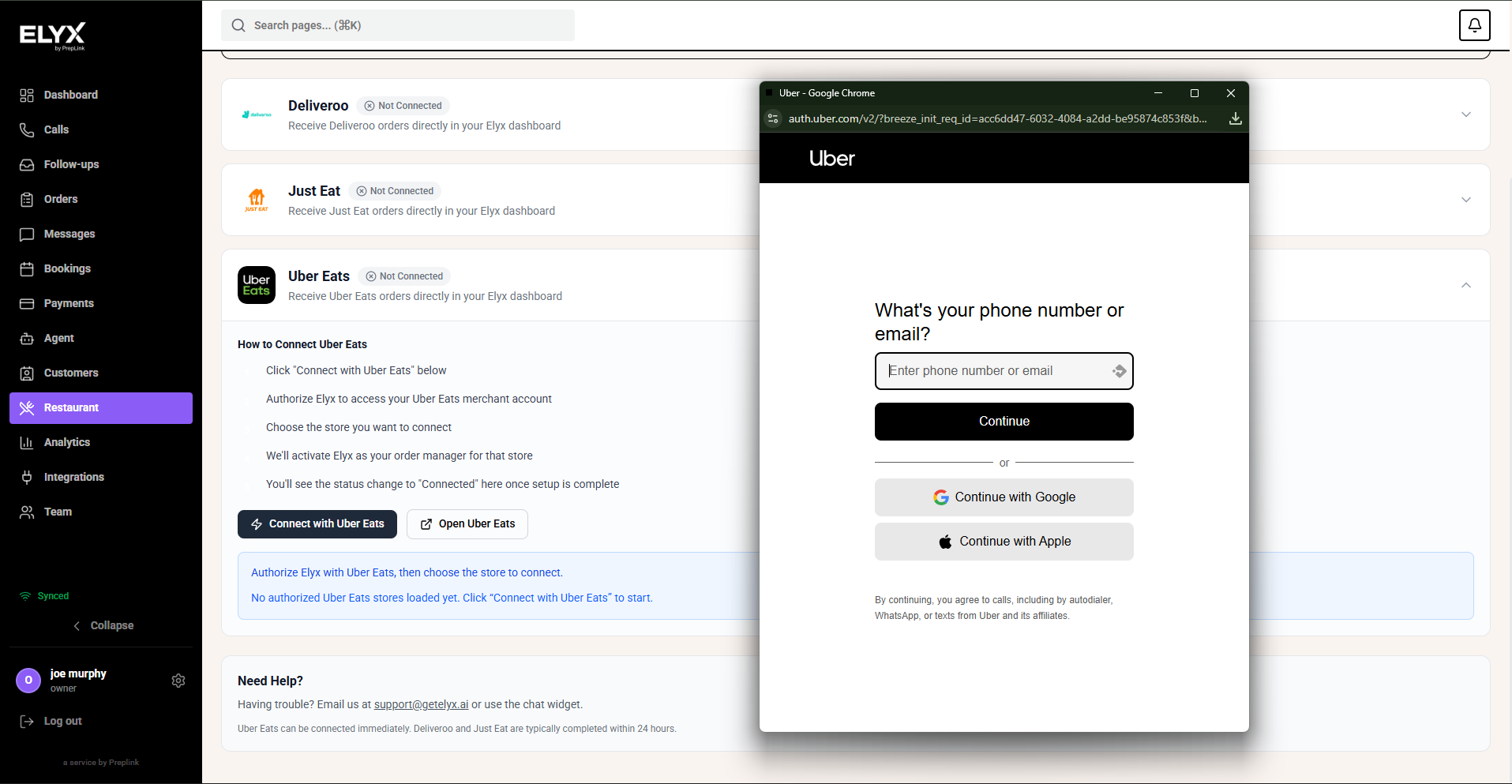
If the platform uses an invite or request flow, follow the on-screen instructions and wait for the connection to be approved or completed.
Daily checks
- Confirm the restaurant is open on the platforms you actually want live.
- Confirm sold-out items are unavailable.
- Check prep time and delivery radius settings where available.
- Watch for failed sync or disconnected account warnings.
Common mistakes
- Updating menu availability in one place but not syncing it to delivery platforms.
- Leaving a platform live after the kitchen stops accepting orders.
- Reconnecting with the wrong platform account.
- Treating marketplace order IDs as customer phone numbers.
If something goes wrong
If orders stop arriving, check platform status, sync status, and account connection. If one platform looks wrong but Resk looks right, open that platform dashboard and compare menu, hours, and store status.
Related articles
Last updated: April 2026