Payments overview
Quick answer - Payments is where you connect a payment provider and set how Resk should collect customer payments, deposits, and balances. This is for money you take from your customers, not your Resk subscription billing.
Use this guide when - Owners, billing contacts, managers, or admins are setting up customer payments.
Before you start - Have access to the business owner or finance details your payment provider may ask for.
Open Payments
- Choose Payments from the left menu.
- Review the connection status cards.
- Check whether Mollie is connected, incomplete, or not connected.
- Review payment and deposit settings.
- Save any policy changes before testing a real customer flow.
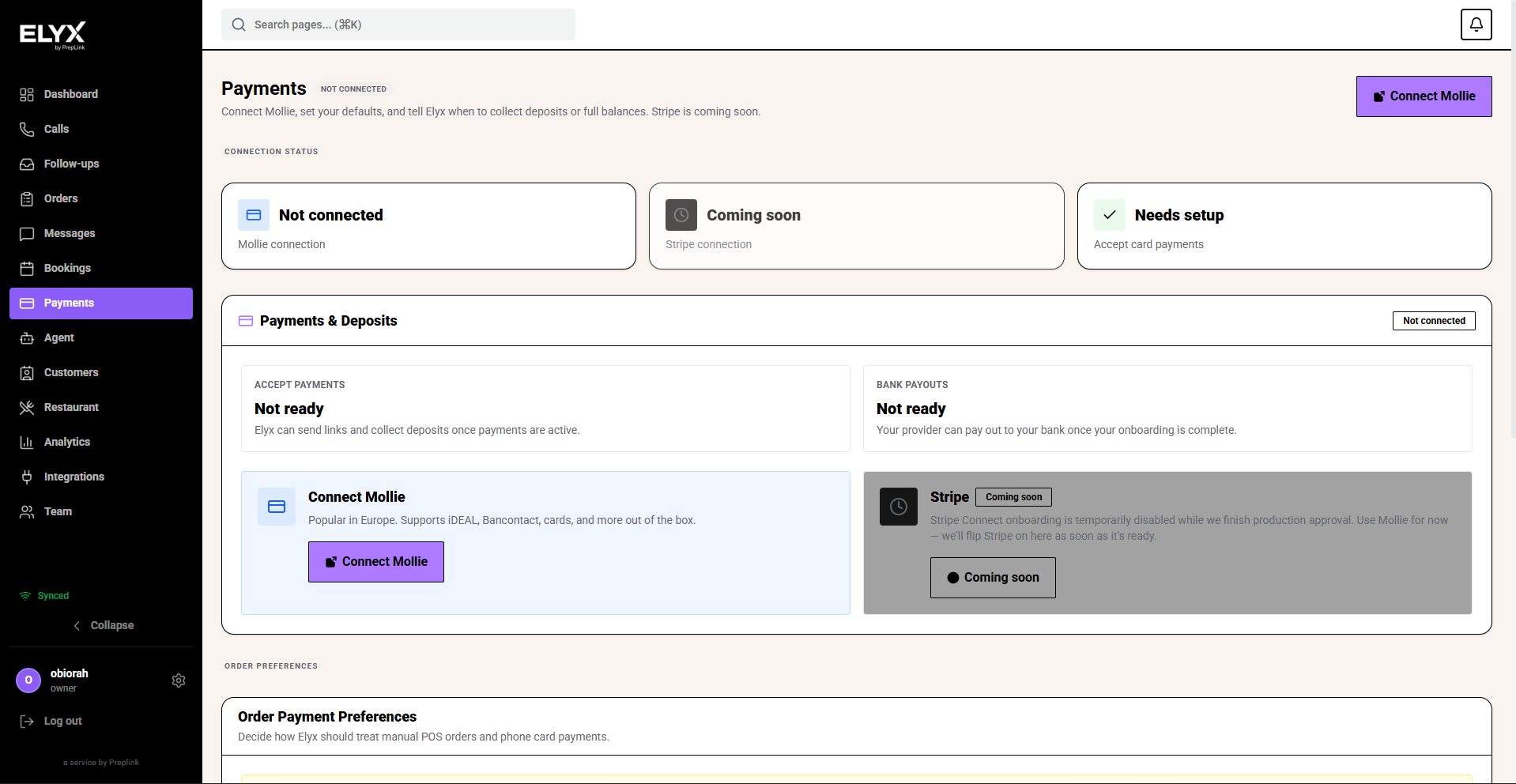
Connect Mollie
- Open Payments.
- Choose Connect Mollie.
- Complete Mollie’s onboarding steps.
- Return to Resk.
- Confirm the payment status is active or ready before sending payment links.
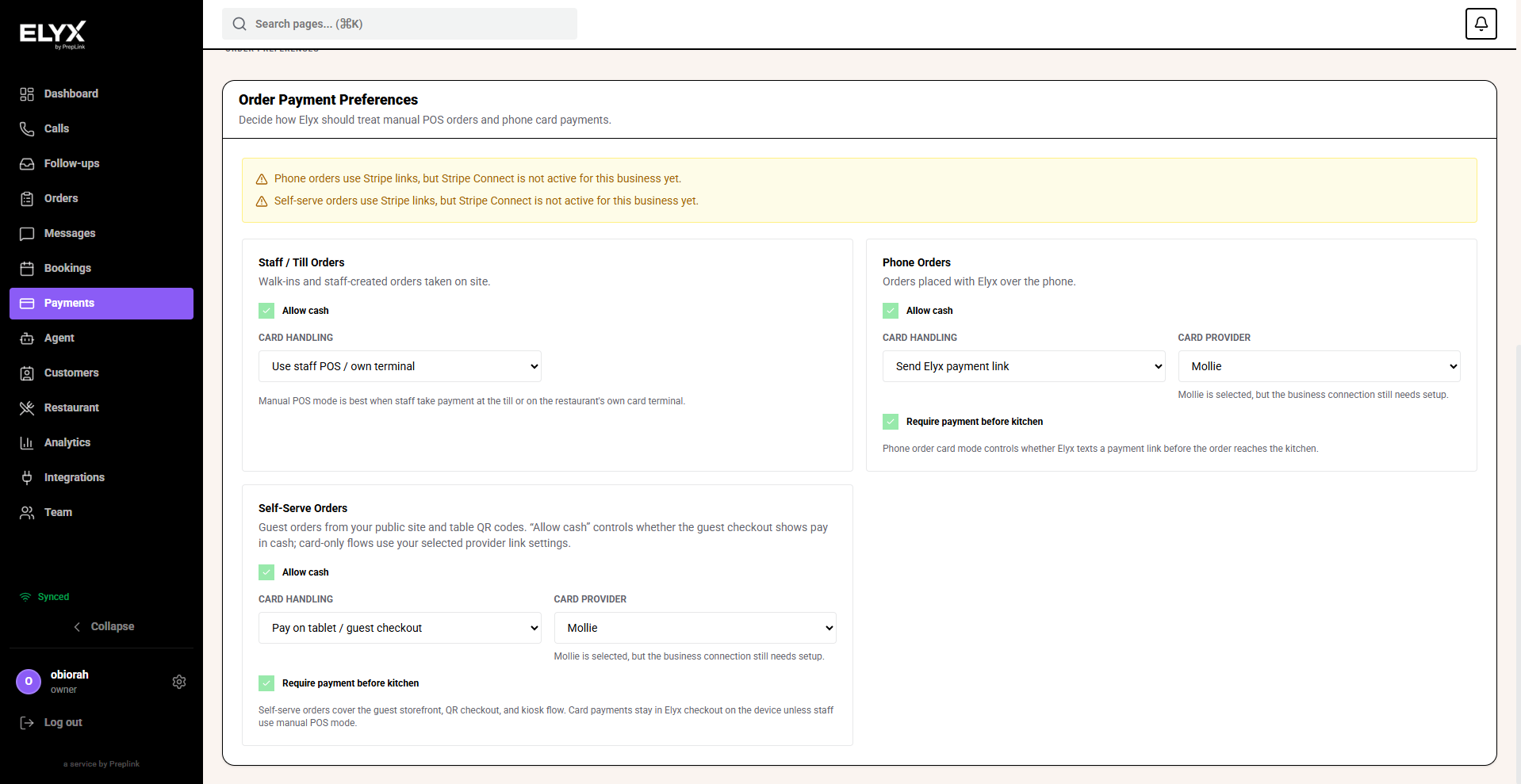
After payments are active
Use Payments to set:
- Default currency.
- Whether card payments are accepted.
- Deposit rules.
- Full-balance collection rules.
- Payment policies for bookings, orders, reservations, or garage invoices where enabled.
Common mistakes
- Assuming payments are ready because onboarding was started.
- Sending payment links before the provider status is active.
- Confusing customer payments with Resk subscription billing.
- Forgetting to test a small payment flow before going live.
Related
Last updated: April 2026